




 Nederlands
 Italiano
 Português
 Română
 Español
 Ελληνικά
 Polski
 Türkçe




Three browser tabs open, all comparing Office 2024 editions. Home, Standard, Professional Plus. The names look almost identical, the price gaps don’t make obvious sense, and nobody on the product page bothers to explain what the “Plus” actually buys. So the decision stalls.
That hesitation is fair. Microsoft publishes the app lists, resellers publish the prices, and neither one sits you down and says “here’s who each edition is for.” Most buyers just want to know whether they’re paying extra for apps they’ll never open.
Let’s break down what actually ships inside microsoft office professional plus 2024, then sort out which edition fits which person. Everything here is the 2024 one-time purchase, not a Microsoft 365 subscription. That distinction matters more than the app list, honestly – and it comes up near the end.
What’s Actually Inside Microsoft Office Professional Plus 2024
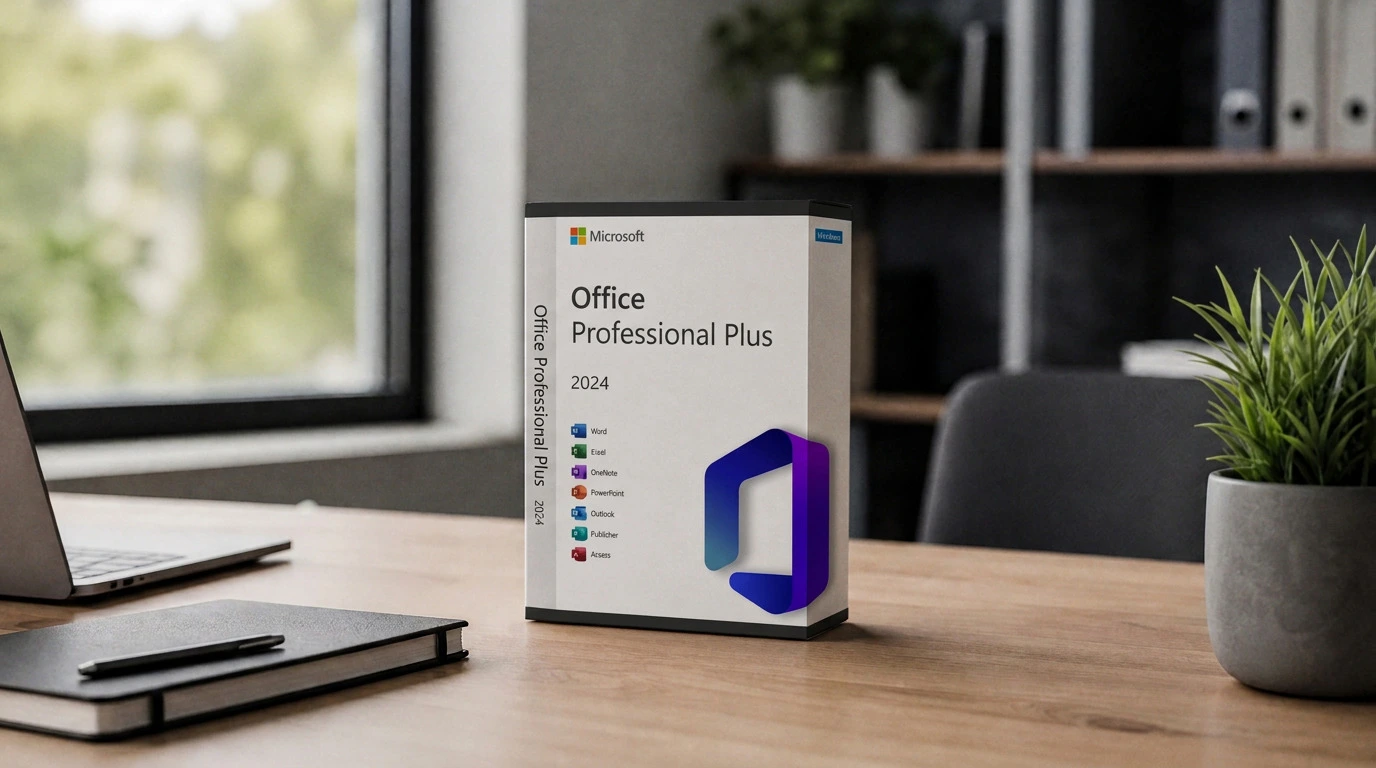
The app list settles this faster than anything else. Here’s what office 2024 professional plus includes, checked against Microsoft’s own product page.
| App | Pro Plus 2024 | Home & Business 2024 | Home 2024 |
|---|---|---|---|
| Word | Yes | Yes | Yes |
| Excel | Yes | Yes | Yes |
| PowerPoint | Yes | Yes | Yes |
| OneNote | Yes | Yes | Yes |
| Outlook | Yes | Yes | No |
| Access | Yes | No | No |
| Publisher | Yes | No | No |
That’s the whole picture. Professional Plus is the only one-time edition that carries Access (database work) and Publisher (layout and print design) on top of the core four. Microsoft’s listing for Office Professional Plus 2024 confirms the same seven apps.
One note on Publisher, though. Microsoft has said it’s being retired across the product line over time, so treat it as a legacy inclusion rather than something that’ll be around forever. If Publisher is your only reason for reaching for Pro Plus, factor that in.
The One-Time Part People Miss
Here’s where buyers trip. These 2024 editions are perpetual licenses, which is a completely different product from Microsoft 365.
A perpetual license means you pay once and keep that exact version. What you don’t get are the continuously-updated cloud features 365 subscribers get: no 1TB of OneDrive storage baked in, no Copilot across the apps, none of the always-latest feature drops. You get the apps as they shipped in 2024, plus security updates for the support window.
So someone picturing the full cloud-connected Office experience and buying Pro Plus 2024 is going to feel shortchanged. The apps themselves are the real desktop apps, fully featured – but the subscription extras simply aren’t part of a one-time purchase. Pick the model first, then pick the edition. That order matters.
Whether 2024 is even worth it over the older release is a separate call with its own tradeoffs, and we’d point to the 2024 vs 2021 comparison here rather than rehash it.
Professional Plus vs Standard vs Home and Business
Three editions, three different buyers. This is the part the product pages skip.
Professional Plus is the full set for people who actually touch Access or Publisher. Analysts building local databases, admins running Access front-ends, small teams producing print layouts. Never open those two? Then you’re paying for apps that’ll sit untouched. But if your workflow needs them, nothing cheaper covers it.
Standard 2024 is basically Pro Plus minus Access, and it ships through volume licensing rather than as a single consumer key. Organizations buying Office in bulk under a licensing agreement usually land on Standard or Pro Plus depending on whether staff need Access. A solo buyer generally won’t run into Standard as a retail option at all, which is exactly why it confuses people comparing editions side by side.
Home and Business 2024 is the practical pick for most individuals and small businesses. Word, Excel, PowerPoint, OneNote, and Outlook – email plus the core productivity apps, in other words. It drops Access and Publisher. For a freelancer, a consultant, or a one-person shop that basically lives in Outlook and Excel, this is usually the right edition, and it costs less than Pro Plus.
“If your daily work never opens Access or Publisher, Home and Business gives you the same core apps for less, and Pro Plus becomes money spent on capability you won’t use.”
The decision tree is short. Need Access or Publisher, go Pro Plus. Buying many seats for an organization, Standard or Pro Plus through volume licensing. Everything else, Home and Business.
Installation and Activation
Setup for office professional plus 2024 follows the same path whether the key came from Microsoft or a reseller. Nothing exotic.
After purchase you sign in or redeem the key, download the Office installer, run it, activate. On a clean machine with no conflicting older Office install, that whole thing wraps up in a few minutes. The usual snag is a leftover previous version still sitting on the drive, which is why clearing out old Office builds first saves grief later.
Genuine keys matter at this step. Keyfy’s licenses are genuine, authentic keys delivered by email after checkout, so the activation flow is the standard official one – nothing that tries to sidestep Microsoft’s checks. A valid key for the edition you actually installed activates normally, first try.
Common Activation Problems
Most failures trace back to a short list of causes, and almost none of them need a support ticket on the first try.
Edition mismatch is the frequent one. Key’s for Pro Plus but the installed product is Home, or the other way round, so activation refuses. The fix is matching them up, not retrying the same combination and hoping.
A key that’s already been redeemed on another setup won’t activate again on a single-license purchase. That’s expected behaviour for a one-device license, not a defect. Anyone who needs coverage across several machines should buy the right number of licenses up front.
And sometimes it’s just Microsoft’s activation servers hiccupping, which clears on its own after a short wait. Microsoft’s own troubleshooting docs sort these by error code, so if a specific code shows up, that code points you straight at the cause rather than guesswork.
Who Should Skip Pro Plus
Worth saying plainly, since overbuying is common. A student writing papers and making slide decks needs Word and PowerPoint, maybe Excel. Home 2024 handles all of that and leaves out Outlook, Access, and Publisher entirely. Paying for Pro Plus there is money gone.
A freelancer running their business through email and spreadsheets wants Outlook, so Home 2024 is too thin – but Access and Publisher are dead weight for them. Home and Business is the clean fit.
The buyer who genuinely benefits from microsoft office 2024 professional plus is the one with a real Access or Publisher workflow, or an organization standardizing on the full desktop suite. For them the extra apps justify the cost. For everyone else, a lighter edition does the exact same daily work.
FAQ
Is Office 2024 Professional Plus a subscription?
No. It’s a one-time perpetual license. You pay once and keep that version with security updates for its support window. It doesn’t include Microsoft 365 subscription features like Copilot, bundled OneDrive storage, or automatic upgrades to future releases.
What’s the difference between Professional Plus and Home and Business 2024?
Pro Plus adds Access and Publisher on top of Word, Excel, PowerPoint, OneNote, and Outlook. Home and Business has everything except those two. If you don’t use databases or print layout tools, Home and Business covers the same daily work for less.
Does Professional Plus 2024 include Outlook?
Yes. Outlook ships with Pro Plus and with Home and Business. The one edition that leaves Outlook out is Home 2024, which targets students and households that only need the core productivity apps.
Can I install one Pro Plus key on multiple computers?
A standard single license activates one device. Installing on several machines means buying the matching number of licenses. Trying to reuse one key across devices is the typical reason a second activation fails.
Why is Standard hard to find as a single purchase?
Standard 2024 is distributed mainly through volume licensing for organizations, not sold as an individual retail key. That’s why solo buyers comparing editions rarely see it listed next to Home and Pro Plus.
The Short Version
Microsoft office professional plus 2024 is the complete one-time desktop suite: seven apps including Access and Publisher, no subscription features attached. Home and Business drops the two specialist apps and suits most individuals. Standard is the volume-licensing route for organizations. Match the edition to whether you actually need Access, Publisher, and Outlook, then buy a genuine key for that exact edition – and activation stays simple.