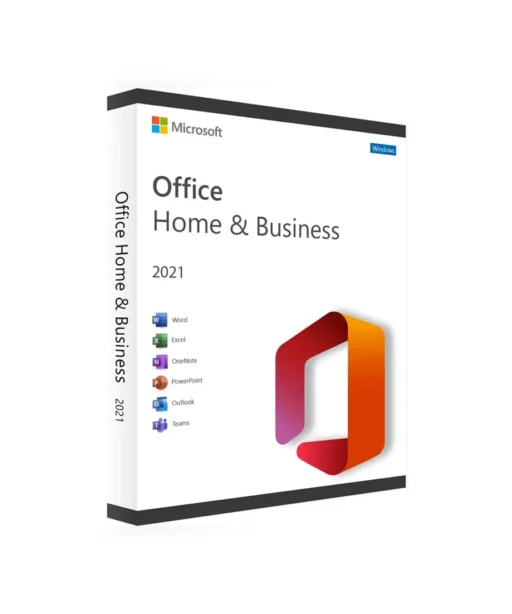
When you buy a Microsoft Office 2021 Home & Business license, you can activate Office 2021 Home & Business on your PC. Buy now and we’ll send your Microsoft Office 2021 Home & Business key to you immediately by email. This is a one-time license and the Microsoft Office 2021 Home & Business key is only valid for installation on 1 PC.
Authentic Licenses
Invoice
Money Back Guarantee
Customer Support 24/7
Order with confidence
Trusted Shops buyer protection is available to you in the next step
Multi-discount:
4x or more — $186.99
$219.99
$249.99
(VAT included)
You Save:
$30.00
Discount:
12%
Payment & Security
Your payment is processed exclusively via encrypted SSL connections. Keyfy does not store or see any credit or bank details.
Secure Payment Methods
Customer Reviews
Learn firsthand how our customers benefit from our products.
3 weeks ago
Efficient and professional diagram creation made easy with Microsoft Visio Professional 2019. Instant delivery, user-friendly setup, and impressive features for dynamic visuals.
Christopher Scott
Verified Buyer
3 weeks ago
Effortless diagram creation with Microsoft Visio Standard 2024. Smooth purchase process, instant delivery, and reliable performance.
Samantha White
Verified Buyer
3 weeks ago
Seamless setup, powerful database solution for business.
Charlotte Watson
Verified Buyer
3 weeks ago
Ultimate protection for digital peace.
Harper Smith
Verified Buyer
3 weeks ago
Efficient and user-friendly, Microsoft Visio Standard 2024 simplifies diagram creation.
Charlotte Watson
Verified Buyer
3 weeks ago
ESET NOD32 Antivirus Home Essential provides robust protection without slowing down my PC. Easy to install with instant digital delivery!
Olivia Parker
Verified Buyer
3 weeks ago
Windows 11 Home offers a seamless user experience with modern design and security features. Instant activation and lifetime validity.
Natalie Evans
Verified Buyer
3 weeks ago
Reliable database solution for business, easy setup process.
Samantha White
Verified Buyer
3 weeks ago
Smooth project management with Microsoft Project Standard 2024 – efficient, reliable, essential.
BUY MICROSOFT OFFICE 2021 HOME & BUSINESS KEY AND GET IT INSTANTLY
ALL OUR LICENSES INCLUDE LIFETIME WARRANTY AND SUPPORT!
When you buy a Microsoft Office 2021 Home & Business license, you can activate Office 2021 Home & Business on your PC. Buy now and we’ll send your Microsoft Office 2021 Home & Business key to you immediately by email. This is a one-time license and the Microsoft Office 2021 Home & Business key is only valid for installation on 1 PC.
With the Microsoft Office 2021 Home & Business key, you can activate the software anywhere in the world. You can activate it on your home or office computers. We offer affordable prices and a lifetime guarantee on all activation licenses.
What is Office 2021 Home & Business?
When you purchase a Microsoft Office 2021 Home & Business key, you get access to a full version of Microsoft’s well-known office software suite, tailored to the needs of professionals and home offices. This edition includes essential apps like Word, Excel, PowerPoint, and Outlook, enabling you to create high-quality documents, perform complex data analysis, build compelling presentations, and manage your email professionally. Buying Microsoft Office 2021 Home & Business gives you the core tools you need to handle your business and personal projects efficiently and streamline your workflows.
For users who do not need email management tools like Outlook, Microsoft Office 2021 Standard can be a more cost-effective alternative. This edition includes the most important apps such as Word, Excel, and PowerPoint and is aimed at users who want to focus on core office tasks and document management. If you’re looking for a solution that is productive, simple, and efficient, Office 2021 Standard provides a solid, user-friendly foundation.
Office 2021 Home & Business – efficient, reliable, and ready for every task.
Which apps are included in an Office 2021 Home & Business package?
Microsoft Office, also known as the Office suite, is a collection of applications designed to help individuals and businesses boost their productivity and efficiency. Office 2021 Home & Business offers a selection of core applications that are essential for everyday business needs. This edition typically includes the following programs:
Microsoft Word: A powerful word-processing application used for a wide range of document creation and editing tasks, from business documents to correspondence.
Microsoft Excel: A comprehensive spreadsheet program that’s indispensable for data analysis and creating charts – ideal for financial reports, calculations, and project management.
Microsoft PowerPoint: Presentation software that lets you create professional, visually engaging slide decks – perfect for business presentations, meetings, and talks.
Microsoft Outlook: A full-featured email and calendar app that helps you organize your business communication and schedule more efficiently.
These core applications form the backbone of Office 2021 Home & Business and are tailored to the needs of professionals and home offices who want to manage their work processes efficiently and professionally. Unlike the Home & Student version, Office 2021 Home & Business includes important additional tools such as Outlook, which is essential for business communication and organization – making it an ideal choice for companies and freelancers.
For businesses and professional users who need advanced tools beyond the standard features, Microsoft Office 2021 Professional Plus is an excellent option. This edition adds apps such as Access and Publisher to the core suite, designed specifically for data-intensive tasks and complex business requirements. With Professional Plus, you can build large databases, create professional layouts, and still benefit from all the advantages of Word, Excel, and PowerPoint. Upgrading to Office 2021 Professional Plus offers a valuable extension for more specialized business needs.
Benefits of buying Microsoft Office 2021 Home & Business
Compared to earlier versions, purchasing Microsoft Office 2021 Home & Business gives you a wide range of advantages. This edition is designed specifically for professionals and home offices who work in a modern digital environment. It offers an optimized feature set tailored to the needs of working professionals and businesses that want a reliable, efficient office software solution.
Improved performance: Office 2021 Home & Business delivers better performance and stability than previous versions. Microsoft has updated the software with the latest patches and performance improvements, resulting in smoother, more efficient operation for your business tasks.
Access to core apps: This edition gives you access to key office applications such as Word, Excel, PowerPoint, and Outlook, all enhanced with new features and improvements. These tools are crucial for creating professional documents, analyzing data, preparing presentations, and managing email and appointments – all core skills in the business world.
Long-term maintenance support: Microsoft provides long-term maintenance support for Office 2021 Home & Business, which is especially valuable for companies that want a stable, reliable software solution without constant forced changes or upgrades.
Security enhancements: This edition includes significant security improvements that help protect businesses against modern cyberthreats. With advanced protection and privacy features, your business data stays safe and secure.
Cost efficiency: Compared with subscription models, Office 2021 Home & Business is a cost-effective solution thanks to its one-time payment. Your organization can benefit from the latest Office apps without worrying about recurring subscription fees.
In summary, buying Office 2021 Home & Business gives you major benefits: improved performance, access to key applications, long-term maintenance support, enhanced security features, and cost-effective pricing. That makes it an ideal choice for professionals and home offices that need a robust, reliable office solution tailored to their business requirements.
For the best experience with Microsoft Office 2021 Home & Business, we recommend installing it on a Microsoft Windows 11 Professionalsystem. Windows 11 Professional offers advanced security features such as BitLocker encryption, along with professional tools for efficient resource management and deployment. This version of the operating system is ideal for businesses that need a stable, secure environment to run Office apps like Word, Excel, and Outlook smoothly and safely. With Windows 11 Professional, you can unlock the full potential of your office software.
How to buy Microsoft Office 2021 Home & Business
If you want to buy Microsoft Office 2021 Home & Business, simply follow these steps:
Once you’re in the store, use the search bar to find “Office 2021 Home & Business”. Click it to open the product detail page.
Click “Buy” to add the product to your cart.
Go to checkout.
Complete your payment. You can pay by credit/debit card or PayPal.
After purchase, you’ll receive an email containing your Office 2021 Home & Business key, full instructions, and a download link.
Keep your Microsoft Office 2021 Home & Business key in a safe place, as you’ll need it to activate the software after installation.
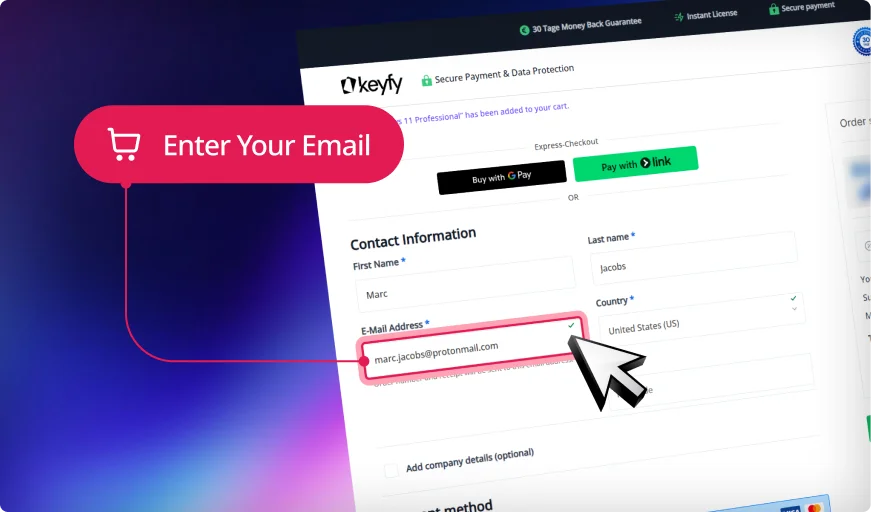
Step 1: Enter Correct Email
We will securely send your product key, download link, and activation instructions. An invoice for your purchase will also be included.
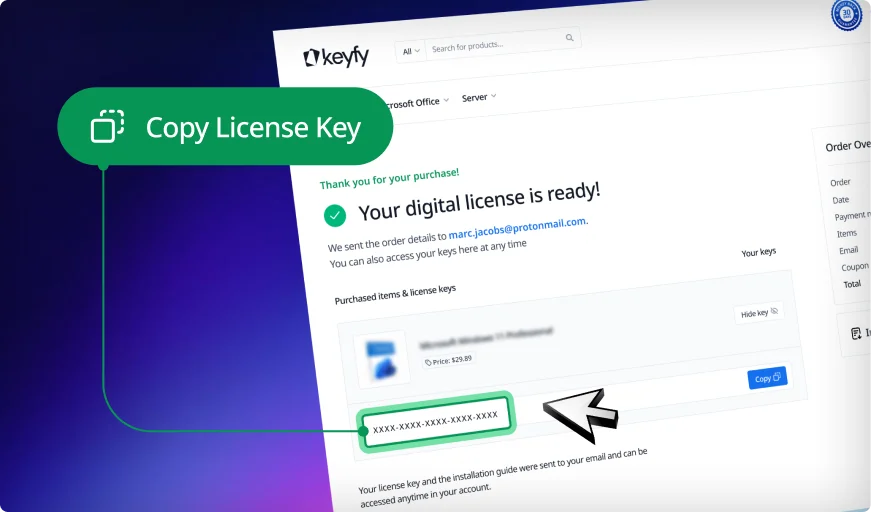
Step 2: Instantly Access Your Key
Your license key appears instantly on the thank you page and in your account. You can download and install the software right away.
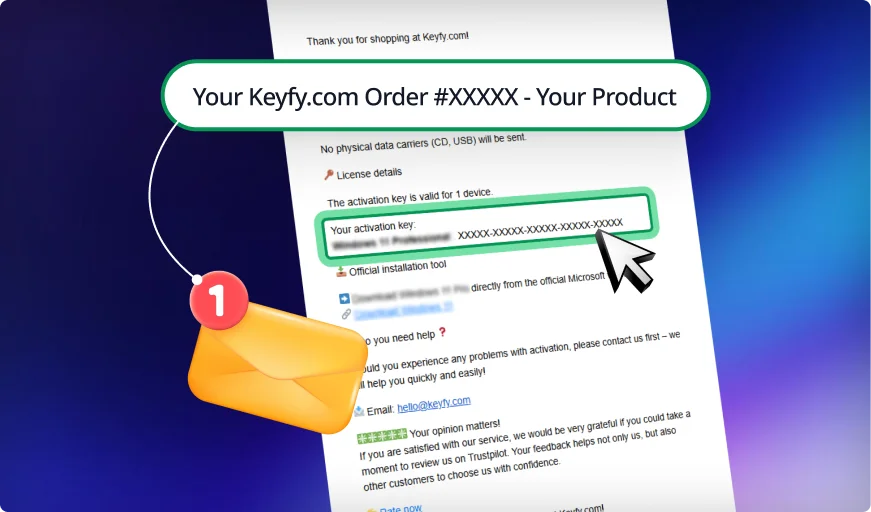
Step 3: Check Your Inbox
We also email the key and instructions for safekeeping. This ensures you always have a secure backup copy in your inbox.
Your Trusted Partner for Official Software Licenses
Secure and Verified: Software Licenses with Top Ratings
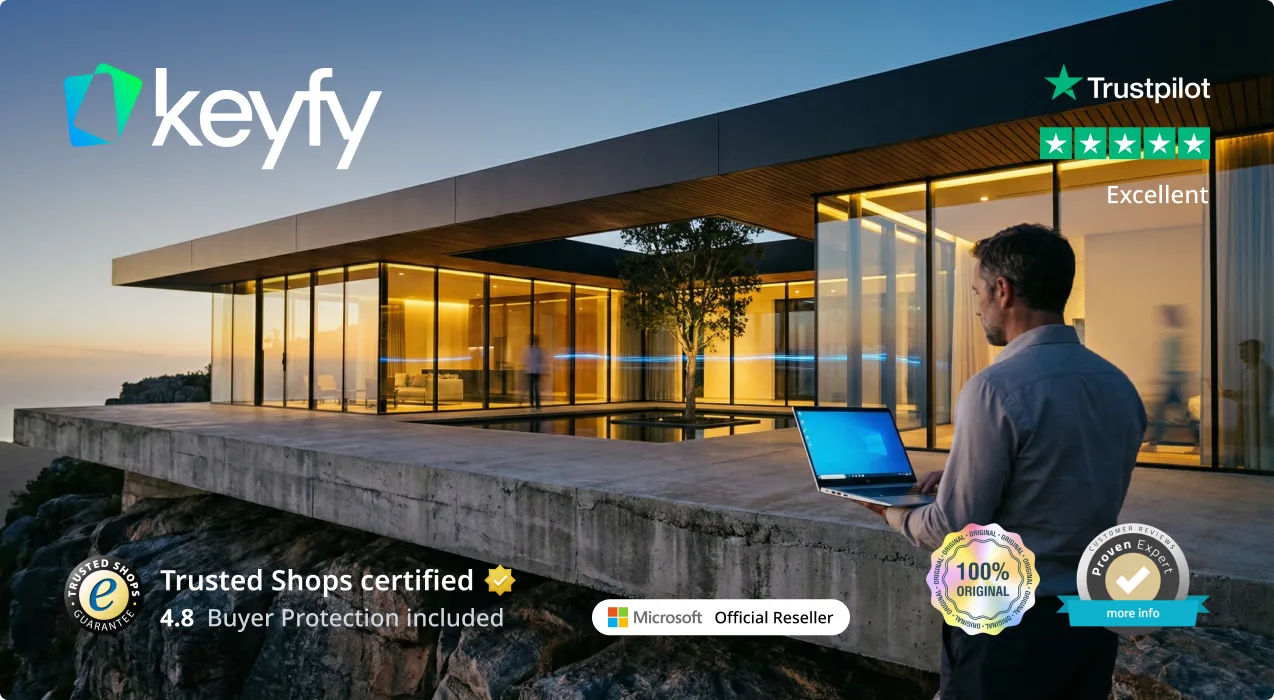
Trusted by 300,000+ Customers. With a 4.8/5 star rating and thousands of verified reviews on Trustpilot, ProvenExpert, and Trusted Shops, your security is our priority. As an official reseller, we provide exclusively 100% audit-compliant and verified original licenses.
1-Second Lightning Delivery & 30-Day Guarantee
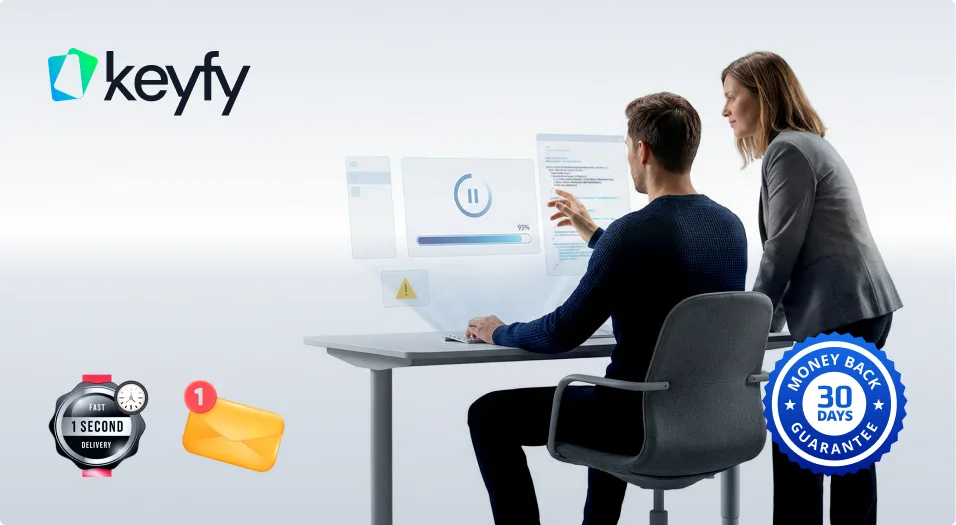
Why wait? Get your digital license immediately on your screen after purchase and via email in exactly 1 second. No wait times, no delays. We stand by our service with a 30-day money-back guarantee, ensuring a 100% risk-free purchase for every single customer.
Lifetime License Validity & 24/7 Expert Support
Your license is yours forever—no hidden fees, no recurring subscriptions, and no expiration. If you ever need help with installation or activation, our English-speaking technical support team is available 24/7 to ensure your software is running perfectly.
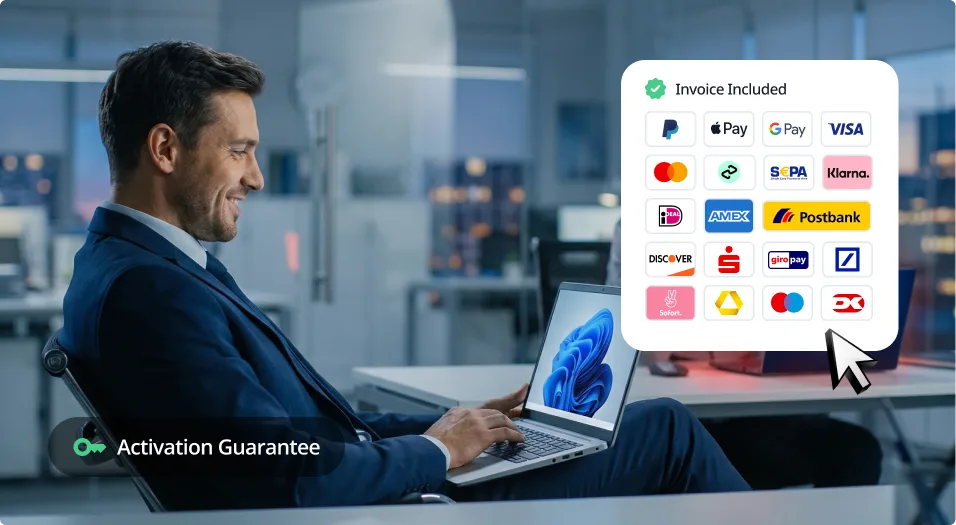
Pay Your Way & Get a Full VAT Invoice
We support all major payment methods, including Klarna, PayPal, and German bank transfers. Every order automatically generates a professional VAT invoice for your company's accounting. Seamless, secure, and ready for your business needs.
Eco-Friendly Choice
We are committed to a greener future. By choosing digital delivery, you help us stay CO₂ neutral and save the planet—learn more on our sustainability page.
State-of-the-Art Security & Data Encryption
Your privacy is our highest priority. We utilize advanced SSL-encryption and the latest security layer technologies to protect your personal data and licenses from end to end. As a PCI DSS compliant provider, we guarantee that every transaction meets the highest international security standards, ensuring your information stays 100% private and secure.
30-Day Money-Back Guarantee
Try Keyfy software for 30 days. If it doesn't meet your expectations, you'll receive a full refund—no questions asked.
Delivery
Step 1: Enter Correct Email
We will securely send your product key, download link, and activation instructions. An invoice for your purchase will also be included.
Step 2: Instantly Access Your Key
Your license key appears instantly on the thank you page and in your account. You can download and install the software right away.
Step 3: Check Your Inbox
We also email the key and instructions for safekeeping. This ensures you always have a secure backup copy in your inbox.
Installation
Get the official Microsoft Office 2021 Home & Business download link that was sent to you by email.
Create a bootable USB drive or mount the ISO file to start the installation.
Follow the on-screen instructions and select Microsoft Office 2021 Home & Business during setup.
Enter your Office 2021 Home & Business lifetime license key when prompted.
Finish the installation and activate your system with the provided key.
System Requirements
For the best experience with Microsoft Office 2021 Home & Business, we recommend the following system requirements:
Operating system: Windows 10 or newer
Processor: 1.6 GHz or faster, 2 cores
Memory: 4 GB RAM (64-bit); 2 GB RAM (32-bit)
Hard drive space: 4 GB of available storage
Display resolution: 1280 x 768 or higher
Graphics: DirectX 9 or later with WDDM 2.0 or higher
Internet connection required for installation, updates, and certain features
FAQ
Do I really only have to pay for Office 2021 once?
Yes! Once you receive the Office 2021 download link, you can be sure that Microsoft Office 2021 Home & Business is a one-time investment with a lifetime license. You pay once and own the software permanently – no monthly or yearly subscription fees like with Microsoft 365.
Should I buy Office 2021 or Microsoft 365?
Office 2021 is a one-time purchase – pay once, use it for a lifetime.
Microsoft 365 is a subscription model with monthly or yearly payments.
Office 2021 works offline and gives you full control over updates and security.
Microsoft 365 offers cloud-based features and continuous updates, ideal for remote teams.
Can I transfer my Office 2021 Home & Business license to another PC?
Yes! As long as your license is not an OEM version, you can deactivate Office 2021 on your current device and reactivate it on a new PC.
Where can I buy Microsoft Office 2021 at the best price?
At Keyfy! We offer genuine Microsoft Office 2021 Home & Business licenses directly from Microsoft partners – no third-party marketplaces, no hidden fees – just authentic licenses at unbeatable prices. Instant activation guaranteed!
Which payment methods are accepted?
We accept:
✔ Credit/debit cards (Visa, Mastercard)
✔ PayPal
✔ Google Pay & Apple Pay
✔ Klarna (buy now, pay later)
✔ Bank transfers
Can I use Office 2021 Home & Business offline?
Yes! After activation, Office 2021 Home & Business no longer requires an internet connection, so you can work offline with full functionality.
How is Office 2021 different from Microsoft 365?
Office 2021 is a one-time purchase with lifetime access.
Microsoft 365 requires a monthly or yearly subscription.
Office 2021 works offline, while Microsoft 365 is cloud-based and needs an internet connection for most features.
Is Office 2021 Home & Business compatible with Windows 11?
Yes! Office 2021 Home & Business is fully optimized for Windows 11 and offers better performance, stronger security, and seamless integration.
Join a Community Built on Trust and Quality
We don’t compromise when it comes to customer service. At Keyfy, we work exclusively with official providers to guarantee the highest quality for every customer. And it seems our customers agree — with over 5000+ 5-star reviews. Discover why so many choose Keyfy as their #1 source for genuine software licenses.
Excellent
2000+ reviews on
|
Excellent
5000+ reviews on
|
Excellent
50+ reviews on
|
Excellent
2000+ reviews on
|
Excellent
5000+ reviews on
|
Excellent
150+ reviews on
|
Excellent
50+ reviews on
|
Excellent
150+ reviews on
|
Preis
Authenticity
Delivery
Customer support
Guarantee
Security
User-friendliness
Reputation
Invoice
Affordable and transparent – no hidden fees
100% original licenses, guaranteed
Instant digital delivery directly after purchase
We are addicted to 5-star reviews.
Full 30-day money-back guarantee
Platform for secure, encrypted payments
Simple and straightforward license activation process
To provide the best experiences, we use technologies like cookies to store and/or access device information. Consenting to these technologies will allow us to process data such as browsing behavior or unique IDs on this site. Not consenting or withdrawing consent, may adversely affect certain features and functions.
Functional
Always active
The technical storage or access is strictly necessary for the legitimate purpose of enabling the use of a specific service explicitly requested by the subscriber or user, or for the sole purpose of carrying out the transmission of a communication over an electronic communications network.
Preferences
The technical storage or access is necessary for the legitimate purpose of storing preferences that are not requested by the subscriber or user.
Statistics
The technical storage or access that is used exclusively for statistical purposes.The technical storage or access that is used exclusively for anonymous statistical purposes. Without a subpoena, voluntary compliance on the part of your Internet Service Provider, or additional records from a third party, information stored or retrieved for this purpose alone cannot usually be used to identify you.
Marketing
The technical storage or access is required to create user profiles to send advertising, or to track the user on a website or across several websites for similar marketing purposes.
To provide the best experiences, we use technologies like cookies to store and/or access device information. Consenting to these technologies will allow us to process data such as browsing behavior or unique IDs on this site. Not consenting or withdrawing consent, may adversely affect certain features and functions.
Functional
Always active
The technical storage or access is strictly necessary for the legitimate purpose of enabling the use of a specific service explicitly requested by the subscriber or user, or for the sole purpose of carrying out the transmission of a communication over an electronic communications network.
Preferences
The technical storage or access is necessary for the legitimate purpose of storing preferences that are not requested by the subscriber or user.
Statistics
The technical storage or access that is used exclusively for statistical purposes.The technical storage or access that is used exclusively for anonymous statistical purposes. Without a subpoena, voluntary compliance on the part of your Internet Service Provider, or additional records from a third party, information stored or retrieved for this purpose alone cannot usually be used to identify you.
Marketing
The technical storage or access is required to create user profiles to send advertising, or to track the user on a website or across several websites for similar marketing purposes.






 Nederlands
 Italiano
 Português
 Română
 Español
 Ελληνικά
 Polski
 Türkçe


























 Preis
Preis Authenticity
 Delivery
 Customer support
 Guarantee
 Security
 User-friendliness
 Reputation
 Invoice
 Affordable and transparent – no hidden fees
 Cheap, but you'll have to buy it again next month.