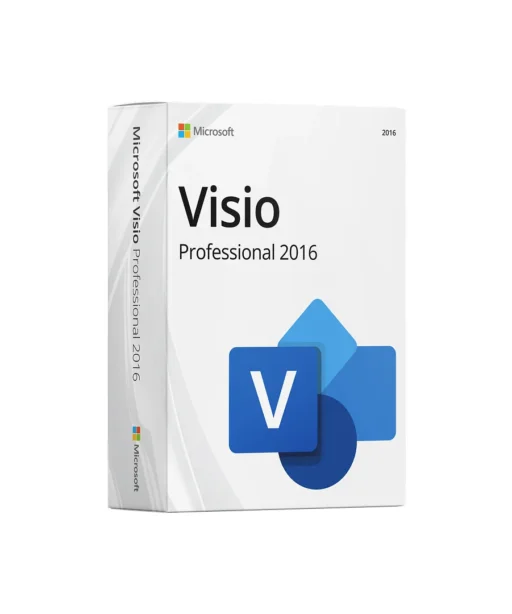
Microsoft Visio Professional 2016 — Visualize complex relationships clearly, optimize processes, present results
With Microsoft Visio Professional 2016, you can create precise diagrams, plans, and visualizations—from simple flowcharts to network, building, and process models. Thanks to professional templates, intelligent shapes, and automatic alignment/spacing, you can produce clear, print-ready diagrams in minutes that teams, management, and clients instantly understand. Visio Professional is designed for users who need more than the basics: advanced stencils, data linking (Excel, Access, SQL, and more), Data Graphics, team and reviewer features, plus enhanced control over layout, styles, and validation.
What you can achieve with Visio Professional 2016
Define processes clearly: BPMN-compliant flowcharts, swimlanes, events/activities, and subprocesses—ideal for QM, IT service management, manufacturing, and administration.
Visualize IT & technology: Network and rack diagrams, Active Directory plans, data center layouts, UML basics, and database notations to document your systems.
Structure organizations & projects: Org charts with photos, roles, and KPIs; timelines and roadmaps for project communication; value stream maps and mind maps for workshops.
Plan buildings & spaces: Floor plans, emergency/evacuation plans, workplace layouts; scaling, dimensions, and layers support accurate planning.
Present ideas convincingly: Consistent themes, color schemes, shadows/guides, and containers give diagrams a professional finish—ready for PDF, PowerPoint, intranet, or large-format print.
Work efficiently with intelligent shapes
Visio shapes are rule-based: connection points snap automatically, lines maintain spacing, and arrow directions can change by role. Quick Shape galleries suggest the next step (e.g., decision, process, data store), so you can build diagrams without searching. In floor plans, shapes show rotation points, dimensions, and areas; in networks, shapes recognize ports/racks; in org charts, reporting lines are generated automatically.
Bring data to life — Data Linking & Data Graphics
Static diagrams often aren’t enough. In Visio Professional 2016, you can link shapes directly to data sources such as Excel, Access, SQL Server, or SharePoint lists. Map fields (e.g., status, cost, SLA, utilization) and visualize them with Data Graphics—color codes, data bars, gauges, icons, and labels. The result: diagrams that instantly highlight issues, priorities, and progress—perfect for shopfloor boards, network overviews, or management dashboards.
Consistency & quality — templates, rules, validation
Professional diagrams follow standards. Visio provides BPMN, ITIL, UML, and floor plan templates with compliant shapes. Diagram validation flags missing required information or rule-based inconsistencies (e.g., open connections, incorrect arrow directions). Design themes and master shapes ensure brand-consistent results—define once, apply everywhere.
Collaboration, sharing & protection
Comments, markups, and change tracking support collaboration. Save diagrams to SharePoint or OneDrive, share as PDF, image, or XPS, or embed them in PowerPoint. For confidentiality, use file protection (e.g., passwords), your environment’s rights management, and keep source/live data separate from the diagram if needed.
Easy to use — familiar Office experience
The Office ribbon UI, mini toolbar, align/distribute tools, AutoConnect, find/replace, and styles make onboarding quick. Keyboard shortcuts, grids, snap options, and layer management speed up expert workflows.
Typical use cases
IT documentation: Network segment plans, server/rack layouts, permissions/object structures.
Process management & quality: Value stream maps, SIPOC, Ishikawa, audit/approval workflows.
Construction/Facilities: Floor plans, furnishings, escape & rescue plans, cable routes.
Corporate organization: Org charts, RACI matrices, onboarding roadmaps.
Project communication: Timelines with milestones, dependencies, and status colors.
Why Visio Professional 2016 instead of Standard?
The Professional edition adds advanced templates & stencils, data linking, Data Graphics, collaboration, and validation—ideal when diagrams must be dynamic, KPIs visualized, or quality rules enforced.
Buy from Keyfy — fast, secure, transparent
Genuine Microsoft license with activation guarantee • Instant digital delivery (key + official download link) • VAT invoice • Dedicated support • Fair pricing with clear details on edition and language.
Get started today — ready in minutes
After purchase, you’ll receive your product key and download link by email. Start setup, choose the architecture (32/64-bit to match Office), enter the key—and you’re ready to create professional diagrams that inform, guide, and persuade.
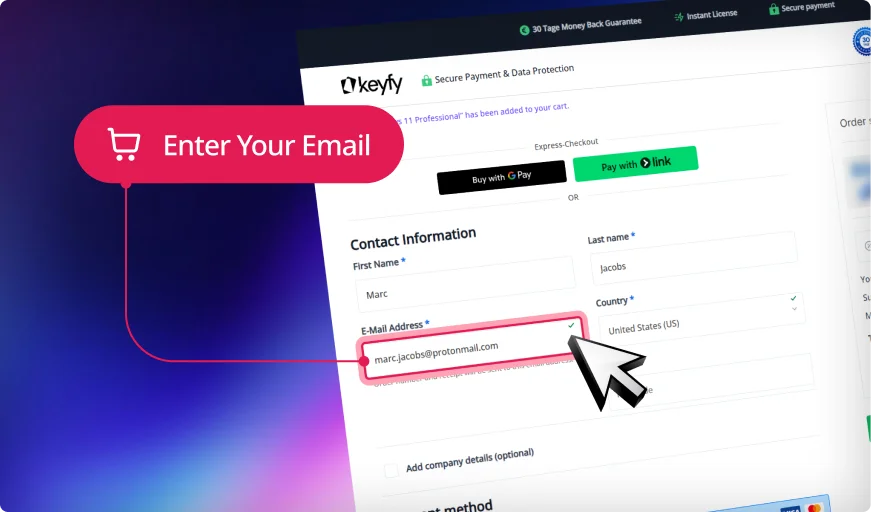
Step 1: Enter Correct Email
We will securely send your product key, download link, and activation instructions. An invoice for your purchase will also be included.
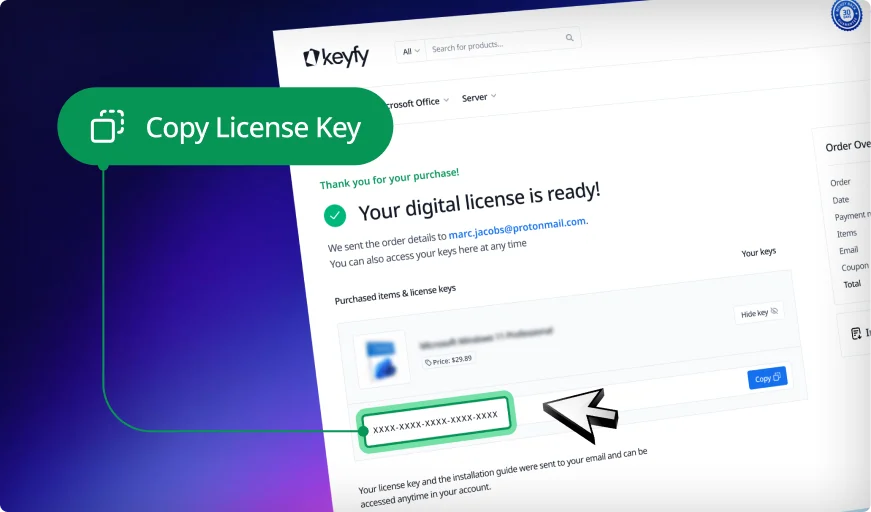
Step 2: Instantly Access Your Key
Your license key appears instantly on the thank you page and in your account. You can download and install the software right away.
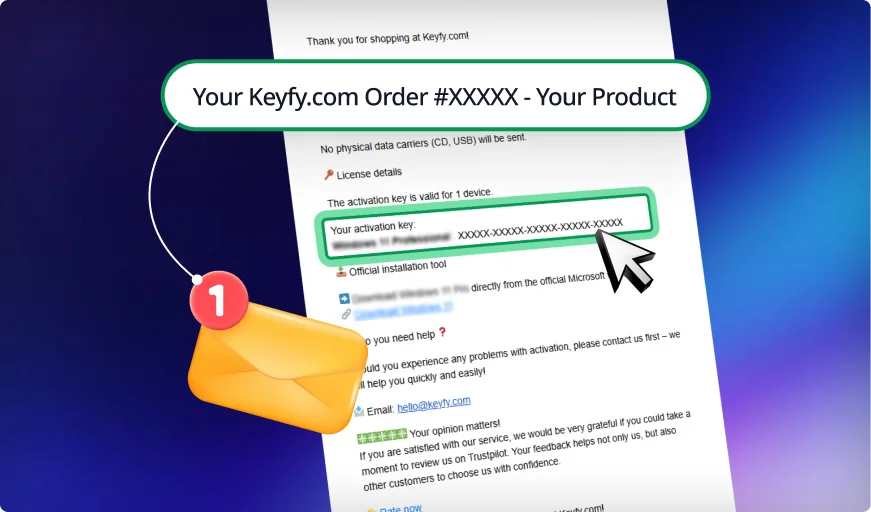
Step 3: Check Your Inbox
We also email the key and instructions for safekeeping. This ensures you always have a secure backup copy in your inbox.
Your Trusted Partner for Genuine Software Licenses
Genuine & EU-Compliant: Software
Licenses with Top Ratings
Trusted by 300,000+ Customers. With a 4.8/5 star rating and thousands of verified reviews on Trustpilot and Trusted Shops, you can buy with confidence. As an independent reseller, we sell only genuine, legally sourced licenses, resold in line with EU law (CJEU ruling C-128/11, UsedSoft v. Oracle) and backed by Trusted Shops buyer protection.
Instant Delivery
& 30-Day Guarantee
As soon as your payment is confirmed, your license key appears right on your screen and arrives by email with the official download link and an activation guide. If something isn't right, our 30-day money-back guarantee has you covered.
Pay Once, Use It for Good
& Real Support
One-time-purchase products such as Office 2024 and Windows 11 come with a perpetual license: no subscription, no expiry. Subscription products such as Microsoft 365 run for the term shown on the product page. Need help installing or activating? Our English-speaking support team is here every day from 8:00 to 20:00 (CET).
Pay Your Way &
Get a Full VAT Invoice
Pay by card, Apple Pay, Google Pay, Klarna, SEPA Direct Debit or one of many local methods such as iDEAL and Bancontact. Every order comes with a VAT invoice, ready for your company's accounting.
Digital Delivery, Zero Packaging
Everything is delivered by email: no boxes, no shipping, no plastic. It is faster for you and lighter on the planet.
Secure Checkout & Data Protection
Your connection is SSL-encrypted, and payments are processed by Stripe, a certified payment provider, so your full card details never touch our servers. We handle your personal data in line with GDPR.
30-Day Money-Back Guarantee
Not what you expected? Contact us within 30 days of purchase for a full refund, as set out in our money-back guarantee.
Installation
Retrieve license & download
After purchase, you’ll find your product key and the official download link on the confirmation page and additionally in your email.
2. Start the setup
Download the installer/ISO, mount or extract it, and run setup.exe. Follow the on-screen instructions.
3. Enter the product key
During installation—or afterward in Visio under File → Account—click Change product key and enter your key.
4. Choose the architecture
Select 32-bit or 64-bit depending on your system (64-bit recommended for large files). The architecture should match your existing Office installation.
5. Finish & update
Complete the installation and enable Office/Visio updates. Launch Visio, choose a template, and get started.
System Requirements
Operating systems:
Windows 11, 10, 8.1, 8, 7 (SP1) – latest updates recommended
Processor:
1.6 GHz or faster, SSE2-capable
Memory:
2 GB RAM (32-bit) / 4 GB RAM (64-bit) – more recommended
Storage:
At least 3 GB of available disk space
Display:
1280 × 768 or higher
Internet:
Required for download, activation, and updates
Note:
The architecture must match your existing Office installation (32/64-bit). Some features require .NET components and current Windows updates.






 Nederlands
 Italiano
 Português
 Română
 Español
 Ελληνικά
 Polski
 Türkçe































 Preis
 Authenticity
 Delivery
 Customer support
 Guarantee
 Security
 User-friendliness
 Reputation
 Invoice
 Affordable and transparent – no hidden fees
 Cheap, but you'll have to buy it again next month.