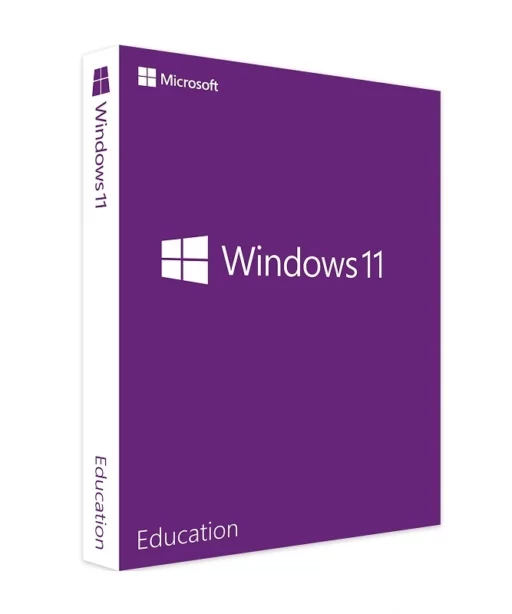
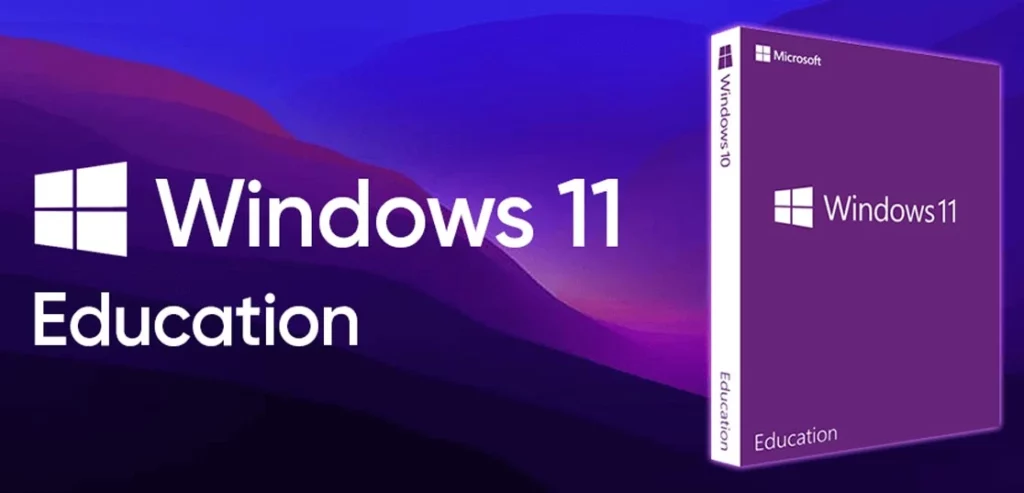
With the Windows 11 Education license, you can activate Windows 11 Education on your PC or within your educational institution. Buy now and we will send your Windows 11 Education key to you immediately by email. This is a one-time license, and the activation key is valid for installation on one PC only.
Authentic Licenses
Invoice
Money Back Guarantee
Customer Support 24/7
Order with confidence
Trusted Shops buyer protection is available to you in the next step
Multi-discount:
4x or more — €16.99
€19.99
€100.00
(VAT included)
You Save:
€80.01
Discount:
80%
Payment & Security
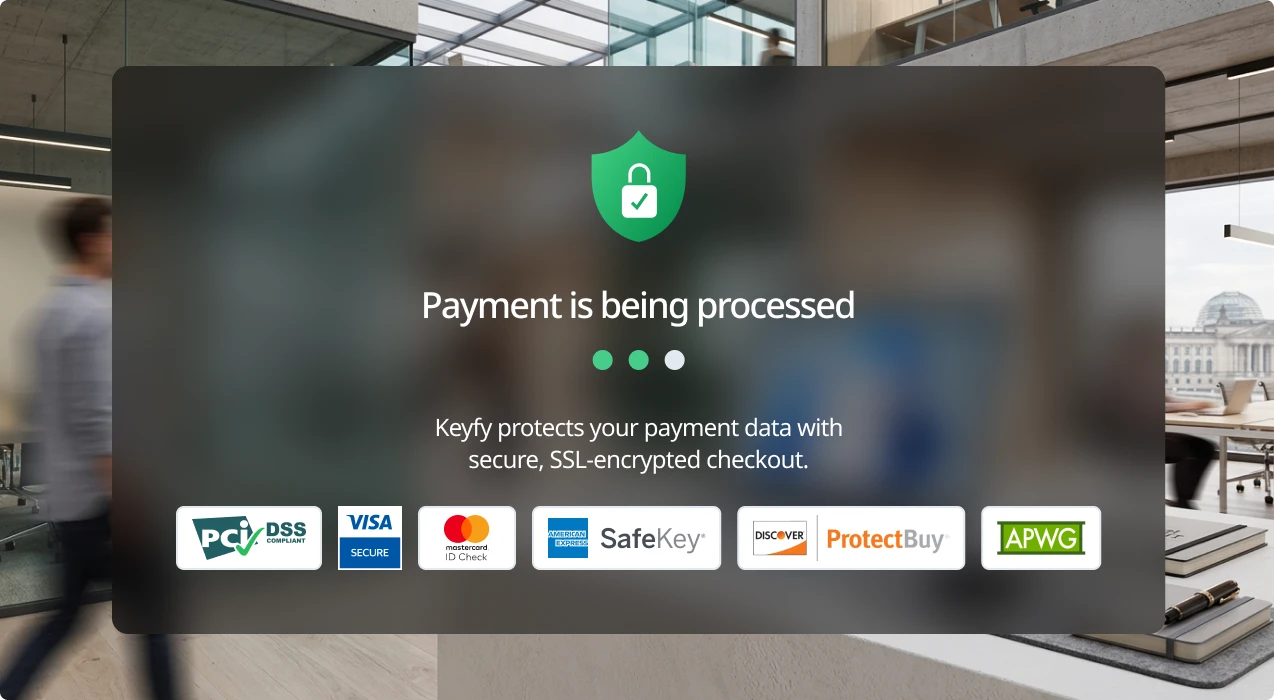
Your payment is processed exclusively via encrypted SSL connections. Keyfy does not store or see any credit or bank details.
Secure Payment Methods
Customer Reviews
Learn firsthand how our customers benefit from our products.
1 month ago
Efficient and professional diagram creation made easy with Microsoft Visio Professional 2019. Instant delivery, user-friendly setup, and impressive features for dynamic visuals.
Christopher Scott
Verified Buyer
1 month ago
Effortless diagram creation with Microsoft Visio Standard 2024. Smooth purchase process, instant delivery, and reliable performance.
Samantha White
Verified Buyer
1 month ago
Seamless setup, powerful database solution for business.
Charlotte Watson
Verified Buyer
1 month ago
Ultimate protection for digital peace.
Harper Smith
Verified Buyer
1 month ago
Efficient and user-friendly, Microsoft Visio Standard 2024 simplifies diagram creation.
Charlotte Watson
Verified Buyer
1 month ago
ESET NOD32 Antivirus Home Essential provides robust protection without slowing down my PC. Easy to install with instant digital delivery!
Olivia Parker
Verified Buyer
1 month ago
Windows 11 Home offers a seamless user experience with modern design and security features. Instant activation and lifetime validity.
Natalie Evans
Verified Buyer
1 month ago
Reliable database solution for business, easy setup process.
Samantha White
Verified Buyer
1 month ago
Smooth project management with Microsoft Project Standard 2024 – efficient, reliable, essential.
Buy Windows 11 Education License Key – Designed for Academic Excellence
Original Microsoft Windows 11 Education license, developed for modern educational institutions that need secure deployment, central IT management, and support for hybrid learning. Activate it immediately after purchase – no waiting time, no monthly fees. This license includes lifetime use and is ideal for pupils, students, teachers, lecturers, and IT departments. Working remotely as a student or instructor? No problem – this license works worldwide. Buy now and receive your product key instantly by email.
What Is Windows 11 Education?
Windows 11 Education is Microsoft’s most advanced operating system for the education sector. It is based on the Enterprise edition and is specifically designed for schools, universities, and academic organizations. It supports scalable IT infrastructures, remote learning, and multilingual environments – while removing distracting consumer-focused features.
This version provides enhanced privacy tools, management features, and service support that help education institutions stay productive, compliant, and secure. The operating system is designed for three key groups: IT administrators managing student or staff devices, and two types of remote learners who work from anywhere in the world.
Wondering how it compares to Windows 11 Pro? Check out our comparison.
Windows 11 Education
Windows 11 Education and Microsoft 365 – Your solution for professional productivity and secure data management.
How does Windows 11 Education differ from Windows 11 Pro?
If you’re choosing between Windows 11 Education and Windows 11 Pro, this table will help you understand the added value that the Education edition offers specifically for academic institutions:
Feature
Windows 11 Education
Windows 11 Pro
BitLocker
✓
✓
Remote Desktop
✓
✓
Group Policy Management
✓
✓
AppLocker
✓
✗
Microsoft Defender for Education
✓
✗
Windows Autopilot
✓
✓
LTSC Support
✓
✗
Windows Information Protection (WIP)
✓
✗
Hyper-V Virtualization
✓
✓
Multilingual & international Support
✓
✗
This comparison shows that Windows 11 Education goes even further in security, management, and device scalability – making it the ideal choice for schools, universities, and students around the world.
Key Benefits of Microsoft Windows 11 Education
Windows 11 Education – designed for “the demanding world of modern classrooms, remote learning, and complex academic networks” – combines powerful enterprise-grade features with the flexibility required in education. It is available in several variants and is, to put it simply, extremely versatile.
Whether you’re managing hundreds of student devices or working as an individual remote learner, these features keep you secure, efficient, and well connected:
Advanced security features
Includes Microsoft Defender for Education, BitLocker, Windows Hello, and Windows Information Protection (WIP) to protect student and faculty data from modern threats.
Zero-touch device deployment
With Windows Autopilot, IT departments can provision and configure hundreds of devices almost instantly. It’s ideal for large rollouts — and perfect for quickly delivering devices to students, whether in the classroom or learning remotely.
Centralized policy management
Manage permissions, security policies, and application access across the entire network using Group Policies and AppLocker.
Virtual learning made easy
Secure, isolated environments for testing, multi-user classrooms, or virtual labs — powered by:
Hyper-V
Windows Virtual Desktop
Windows Sandbox
Remote access support
Keep students and teachers connected by providing Remote Desktop access. This allows your IT team to deliver remote support and maintain a fully functional learning environment from anywhere.
Multilingual and international support
Includes extensive language and localization solutions designed to meet the needs of international schools and diverse student communities.
LTSC stability
The Long-Term Servicing Channel (LTSC) ensures that only essential updates are installed — minimizing disruptions during classes, exams, or critical learning sessions.
Tip: Looking for the right productivity tools? Then take a look at Office 2021 Home & Student – perfect for homework and presentations.
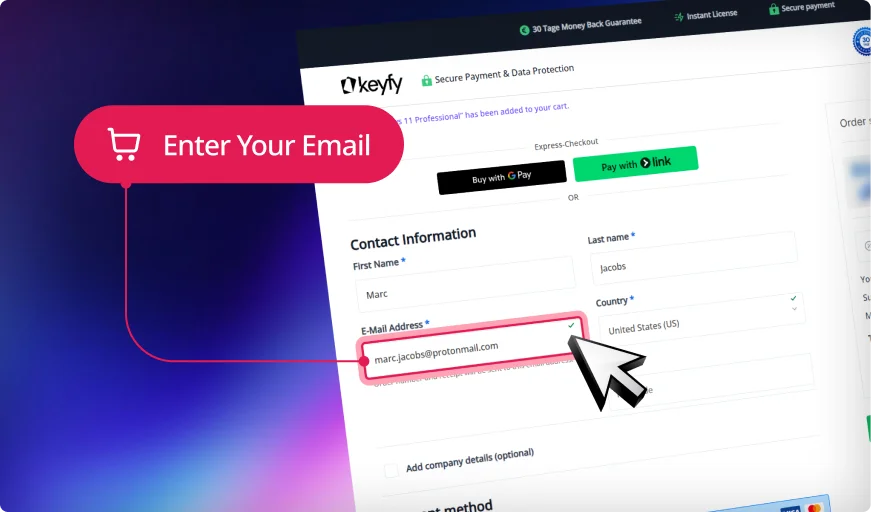
Step 1: Enter Correct Email
We will securely send your product key, download link, and activation instructions. An invoice for your purchase will also be included.
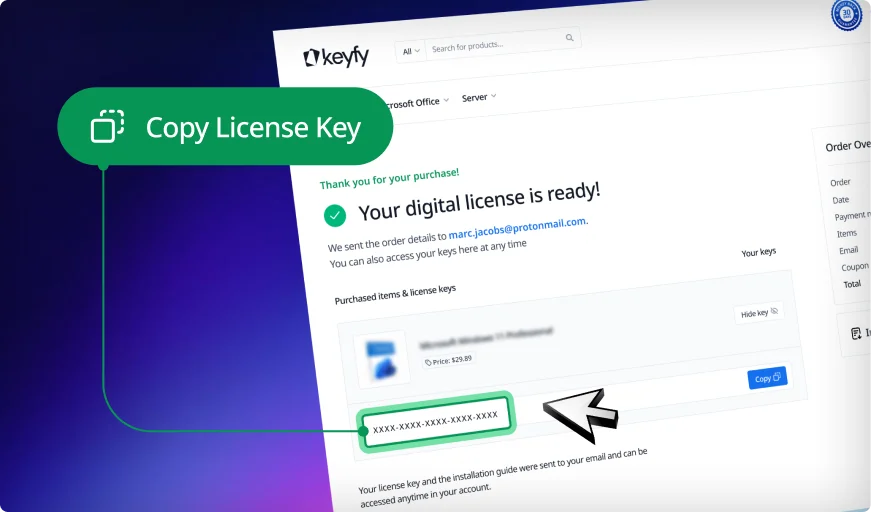
Step 2: Instantly Access Your Key
Your license key appears instantly on the thank you page and in your account. You can download and install the software right away.
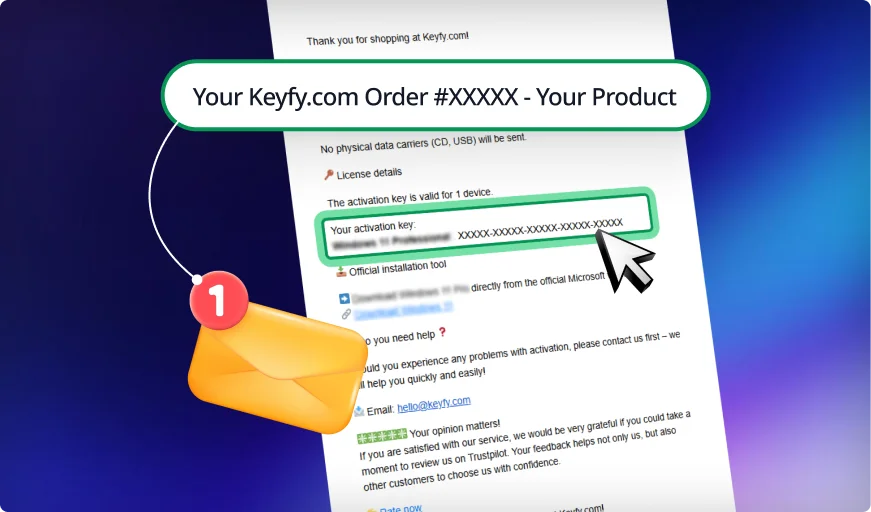
Step 3: Check Your Inbox
We also email the key and instructions for safekeeping. This ensures you always have a secure backup copy in your inbox.
Every license with lifetime guarantee and instant digital access
When you buy Microsoft Windows 11 Education from Keyfy, you receive more than just a product key – you get security, transparency, and full control from the moment of purchase.
Worldwide activation – Use your license anywhere, whether you are studying abroad or working from home.
Instant digital delivery – Your activation key and the official Microsoft ISO download link arrive in your inbox within seconds.
Genuine Microsoft licenses – Fully verifiable and sourced directly from authorized Microsoft partners with no middlemen and no risk.
Education-friendly pricing – Fair and transparent prices designed for pupils, students, and educational institutions.
Optimized for 64-bit systems – Suitable for modern devices, campus networks, and remote learning environments.
Real live support – Our support team is available five days a week from 08:00 to 20:00 to assist with any questions.
Trusted by thousands – Supported by verified reviews on Trusted Shops and Trustpilot, along with a high number of returning customers.
Your Trusted Partner for Official Software Licenses
Secure and Verified: Software Licenses with Top Ratings
Trusted by 300,000+ Customers. With a 4.8/5 star rating and thousands of verified reviews on Trustpilot, ProvenExpert, and Trusted Shops, your security is our priority. As an official reseller, we provide exclusively 100% audit-compliant and verified original licenses.
1-Second Lightning Delivery & 30-Day Guarantee
Why wait? Get your digital license immediately on your screen after purchase and via email in exactly 1 second. No wait times, no delays. We stand by our service with a 30-day money-back guarantee, ensuring a 100% risk-free purchase for every single customer.
Lifetime License Validity & 24/7 Expert Support
Your license is yours forever—no hidden fees, no recurring subscriptions, and no expiration. If you ever need help with installation or activation, our English-speaking technical support team is available 24/7 to ensure your software is running perfectly.
Pay Your Way & Get a Full VAT Invoice
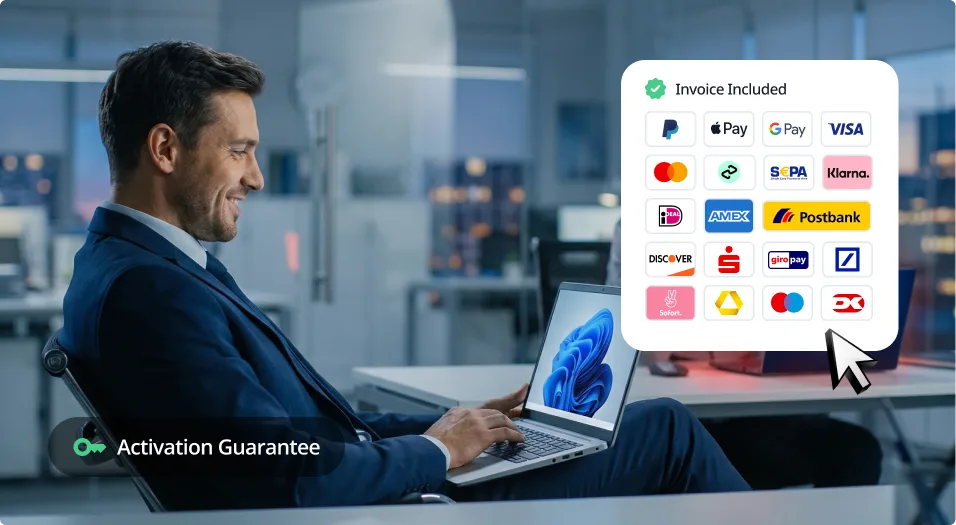
We support all major payment methods, including Klarna, PayPal, and German bank transfers. Every order automatically generates a professional VAT invoice for your company's accounting. Seamless, secure, and ready for your business needs.
Eco-Friendly Choice
We are committed to a greener future. By choosing digital delivery, you help us stay CO₂ neutral and save the planet—learn more on our sustainability page.
State-of-the-Art Security & Data Encryption
Your privacy is our highest priority. We utilize advanced SSL-encryption and the latest security layer technologies to protect your personal data and licenses from end to end. As a PCI DSS compliant provider, we guarantee that every transaction meets the highest international security standards, ensuring your information stays 100% private and secure.
30-Day Money-Back Guarantee
Try Keyfy software for 30 days. If it doesn't meet your expectations, you'll receive a full refund—no questions asked.
Delivery
Step 1: Enter Correct Email
We will securely send your product key, download link, and activation instructions. An invoice for your purchase will also be included.
Step 2: Instantly Access Your Key
Your license key appears instantly on the thank you page and in your account. You can download and install the software right away.
Step 3: Check Your Inbox
We also email the key and instructions for safekeeping. This ensures you always have a secure backup copy in your inbox.
Installation
Download Windows 11 Education using the official Microsoft download link you receive by email.
Create a bootable USB drive or mount the ISO file to start the installation.
Follow the on-screen instructions and select Windows 11 Education during setup.
Enter your Windows 11 Education license key when prompted.
Complete the installation and activate your system using the provided key.
System Requirements
Once you have purchased Windows 11 Education, your system should meet the following minimum requirements:
Processor: 1 GHz or faster
RAM: 1 GB (32-bit) or 2 GB (64-bit)
Storage: 16 GB (32-bit) or 20 GB (64-bit)
Graphics: DirectX 9 compatible
For a smoother experience, we recommend using a system with higher specifications.
FAQ
Can students and teachers use Windows 11 Education at home?
Yes. As long as the device has an education license, both students and teachers can install and activate the software on personal devices, whether at home or on the go.
Is Windows 11 Education suitable for universities and large networks?
Absolutely. This edition is based on the Enterprise architecture, making it ideal for large-scale deployments in labs, classrooms, or across an entire campus.
Which apps and features are included in Windows 11 Education?
You get access to tools such as Microsoft Defender for Education, Hyper-V, Windows Sandbox, AppLocker, and BitLocker – all designed for secure, virtual, and policy-controlled environments.
Do I receive updates and security patches?
Yes. Windows 11 Education receives regular security updates. The system can also be switched to the Long-Term Servicing Channel (LTSC), which reduces disruptions from new features in sensitive educational environments.
Is there a difference between a digital license and a physical product key?
We only provide digital licenses – and instantly. Your activation key is sent to you by email just a few seconds after purchase. No shipping, no waiting – you buy, we deliver digitally.
Is this version better for students than Windows 11 Home?
Yes. Windows 11 Education offers advanced security features, device management, and support for virtual learning – features that are not included in Windows 11 Home.
How long does delivery take after purchase?
Delivery is instant. You receive your license key and download link by email immediately after checkout.
Join a Community Built on Trust and Quality
We don’t compromise when it comes to customer service. At Keyfy, we work exclusively with official providers to guarantee the highest quality for every customer. And it seems our customers agree — with over 5000+ 5-star reviews. Discover why so many choose Keyfy as their #1 source for genuine software licenses.
Excellent
2000+ reviews on
|
Excellent
5000+ reviews on
|
Excellent
50+ reviews on
|
Excellent
2000+ reviews on
|
Excellent
5000+ reviews on
|
Excellent
150+ reviews on
|
Excellent
50+ reviews on
|
Excellent
150+ reviews on
|
Preis
Authenticity
Delivery
Customer support
Guarantee
Security
User-friendliness
Reputation
Invoice
Affordable and transparent – no hidden fees
100% original licenses, guaranteed
Instant digital delivery directly after purchase
We are addicted to 5-star reviews.
Full 30-day money-back guarantee
Platform for secure, encrypted payments
Simple and straightforward license activation process
To provide the best experiences, we use technologies like cookies to store and/or access device information. Consenting to these technologies will allow us to process data such as browsing behavior or unique IDs on this site. Not consenting or withdrawing consent, may adversely affect certain features and functions.
Functional
Always active
The technical storage or access is strictly necessary for the legitimate purpose of enabling the use of a specific service explicitly requested by the subscriber or user, or for the sole purpose of carrying out the transmission of a communication over an electronic communications network.
Preferences
The technical storage or access is necessary for the legitimate purpose of storing preferences that are not requested by the subscriber or user.
Statistics
The technical storage or access that is used exclusively for statistical purposes.The technical storage or access that is used exclusively for anonymous statistical purposes. Without a subpoena, voluntary compliance on the part of your Internet Service Provider, or additional records from a third party, information stored or retrieved for this purpose alone cannot usually be used to identify you.
Marketing
The technical storage or access is required to create user profiles to send advertising, or to track the user on a website or across several websites for similar marketing purposes.
To provide the best experiences, we use technologies like cookies to store and/or access device information. Consenting to these technologies will allow us to process data such as browsing behavior or unique IDs on this site. Not consenting or withdrawing consent, may adversely affect certain features and functions.
Functional
Always active
The technical storage or access is strictly necessary for the legitimate purpose of enabling the use of a specific service explicitly requested by the subscriber or user, or for the sole purpose of carrying out the transmission of a communication over an electronic communications network.
Preferences
The technical storage or access is necessary for the legitimate purpose of storing preferences that are not requested by the subscriber or user.
Statistics
The technical storage or access that is used exclusively for statistical purposes.The technical storage or access that is used exclusively for anonymous statistical purposes. Without a subpoena, voluntary compliance on the part of your Internet Service Provider, or additional records from a third party, information stored or retrieved for this purpose alone cannot usually be used to identify you.
Marketing
The technical storage or access is required to create user profiles to send advertising, or to track the user on a website or across several websites for similar marketing purposes.





 Nederlands
 Italiano
 Português
 Română
 Español
 Ελληνικά
 Polski
 Türkçe


























 Preis
Preis Authenticity
 Delivery
 Customer support
 Guarantee
 Security
 User-friendliness
 Reputation
 Invoice
 Affordable and transparent – no hidden fees
 Cheap, but you'll have to buy it again next month.