




 Nederlands
 Italiano
 Português
 Română
 Español
 Ελληνικά
 Polski
 Türkçe




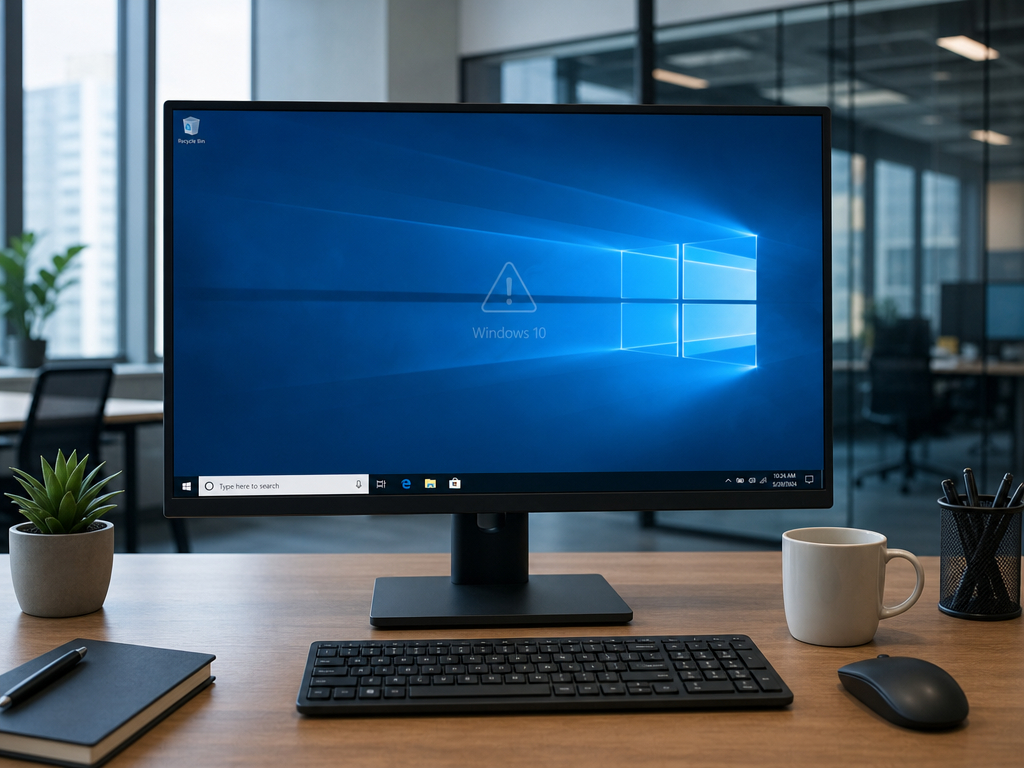
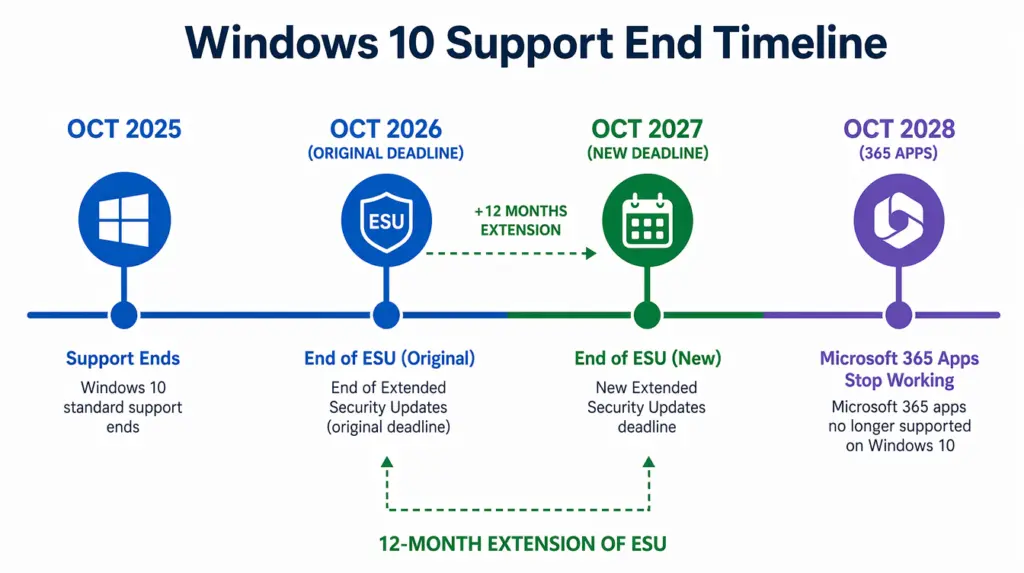
You’ve probably heard that Windows 10 support ended. That part’s been repeated everywhere since October 2025. Here’s what hasn’t made the rounds nearly as much: Microsoft quietly extended the free security update program for Windows 10 by a full extra year, pushing it out to October 2027. That change only went live this past June, which means most of what’s written about “what happens now” is already working off an outdated timeline.
So before anything else, here’s the picture as it actually stands today.
What “end of support” actually means
Every piece of software has holes in it that nobody’s found yet. Microsoft’s security team spends a chunk of every month finding and patching them in supported versions of Windows. That’s what Patch Tuesday is. To put the scale of that work in perspective, the end of June 2026 update alone fixed more than 200 vulnerabilities across Windows and related products, the largest single Patch Tuesday release Microsoft has ever put out. That’s the level of ongoing exposure a supported system needs constant defending against. With Windows 10, that process stopped on October 14, 2025. If a new vulnerability turns up in Windows 10 now, it doesn’t get fixed unless you’re enrolled in something called ESU, which we’ll get to. In the meantime, running a proper antivirus on an unsupported machine stops being optional and starts being the bare minimum.
No feature updates either. Whatever Windows 10 looks and behaves like right now is what it’s staying as. No new capabilities, no performance improvements, nothing.
And no more official support channels. If something breaks, Microsoft isn’t the one helping you fix it anymore.
Nothing about your PC changes today
This is where a lot of the panic online gets it backwards. Windows 10 isn’t disabled. It’s not going to stop your PC from starting up, and none of your software is going to suddenly refuse to open. You can use a Windows 10 machine today exactly like you did two years ago, and the risk building underneath that isn’t something you’ll see or feel happening.
Every month that passes without security patches is a month where any newly discovered flaw in Windows 10 stays open on your machine, permanently, unless you’re covered by ESU. Attackers specifically look for unpatched systems because they know exactly which holes exist and exactly how to get through them. A Windows 10 PC in 2025 was reasonably safe. A Windows 10 PC in 2027 with no patches applied since October 2025 is a much easier target, and it only gets worse from there.
There’s also a slower, less dramatic problem: software compatibility. Browsers, antivirus tools, and everyday apps gradually stop testing against an OS that’s no longer supported. It doesn’t happen overnight, but over a year or two, things start breaking in small, annoying ways that never get fixed either.
The ESU extension, and what it actually buys you
Microsoft did leave a door open. It’s called Extended Security Updates, or ESU, and it’s a way to keep getting critical security patches on Windows 10 even after support officially ended. Enrolling is straightforward, and there are a few ways to do it:
- Free, if you’re willing to sync your PC settings to a Microsoft account
- A one-time $30 payment, no syncing required
- 1,000 Microsoft Rewards points, if you’ve got them banked
- Free with no strings, if you’re in the EU or EEA – just a Microsoft account sign-in, no sync needed
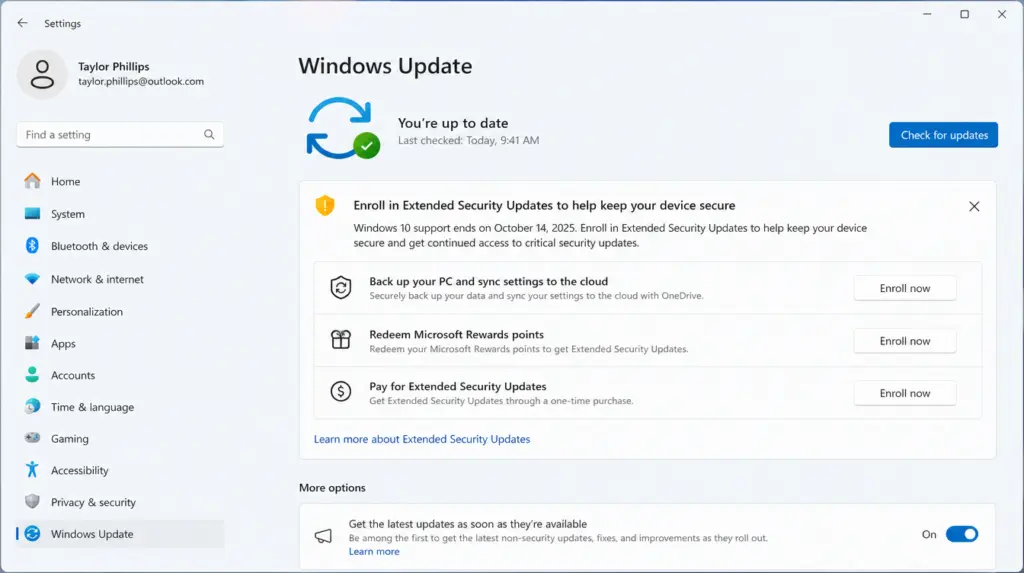
This is the part that changed. ESU for consumers was originally set to expire in October 2026, giving people one extra year past end of support. In late June 2026, Microsoft pushed that out again. Free consumer ESU now runs through October 12, 2027, which gives Windows 10 users a real runway to plan a move instead of scrambling.
Worth being clear on what ESU is and isn’t, though. It only covers critical and important security patches, as rated by Microsoft’s own security team. No feature updates, no general troubleshooting support, none of the quality-of-life fixes that come with a supported OS. It buys time. It doesn’t bring Windows 10 back to full support.
One more thing worth knowing if you use Microsoft 365 apps like Word or Excel on Windows 10: those get their own separate runway, with security updates continuing through October 2028 regardless of your Windows ESU status.
Why moving to Windows 11 is worth it even with the extra runway
ESU solves the security gap. It doesn’t solve the fact that Windows 10 is, at this point, a frozen product. Windows 11 has kept moving in ways that go beyond staying patched.
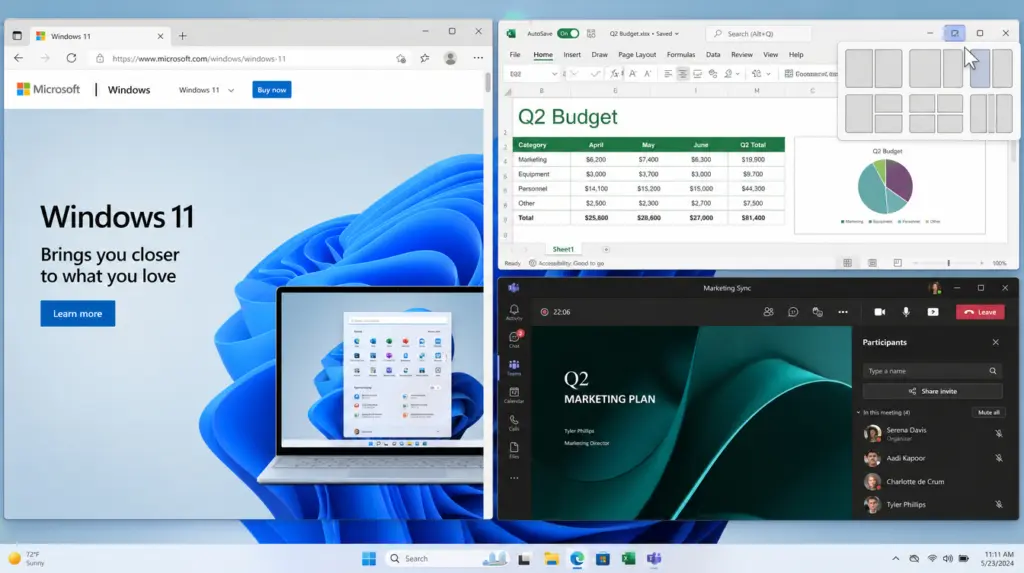
Smarter multitasking. Snap Layouts let you arrange several windows into a saved grid instead of manually dragging edges around. Snap Groups remembers those setups so you can jump straight back into a project without rebuilding it from scratch.
Hardware-level security. Windows 11 requires TPM 2.0, handling encryption and credential protection at the hardware level rather than relying on software alone. Combined with Windows Hello for biometric sign-in and BitLocker drive encryption on the Windows 11 Pro edition, it’s a meaningfully harder target than Windows 10 even before ESU expires.
Gaming and performance. DirectStorage cuts load times by letting supported games pull assets straight from an SSD to the GPU. Auto HDR improves visuals in older titles without any extra setup. Neither of these was ever coming to Windows 10.
If most of your day is browsing, streaming, and everyday apps, Windows 11 Home covers all of it. If you’re managing business documents, need Remote Desktop access, or want more control over updates, the Home vs Pro comparison breaks down exactly where the two diverge.
So what should you actually do?
If your PC can’t run Windows 11, or you just haven’t gotten around to switching, ESU is a sensible short-term move. It closes the most immediate risk – unpatched vulnerabilities sitting open indefinitely – while you work out your next step.
But it’s a bridge, not a destination. Enrolling doesn’t stop you from upgrading later, and at some point, that bridge runs out. October 2027 sounds far off. It won’t in eighteen months.
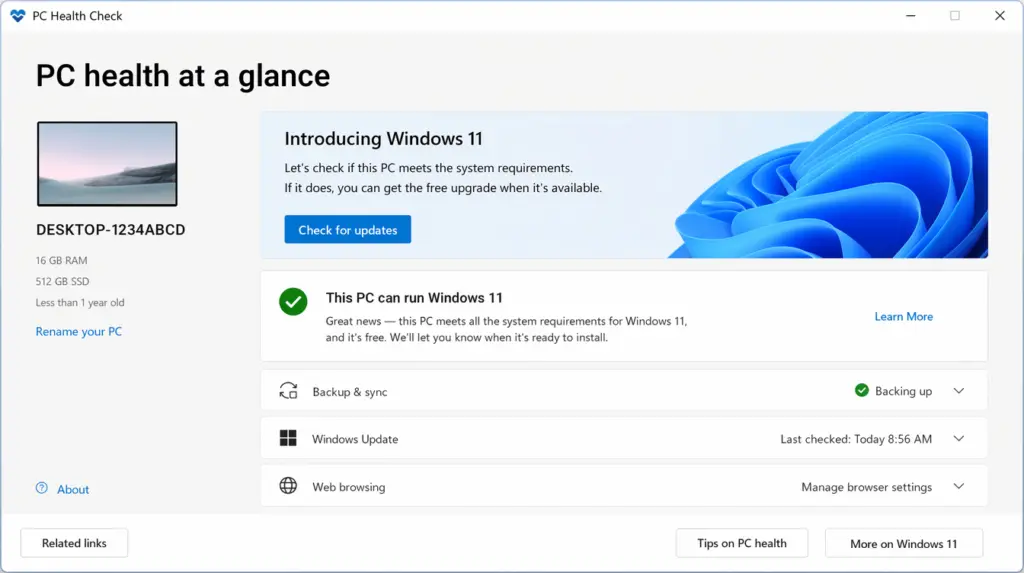
If your machine is eligible for Windows 11, checking takes about five minutes in Settings under Windows Update. Plenty of PCs from the last five or six years qualify without any hardware changes. For machines that don’t meet the requirements, that’s usually a signal the hardware itself is old enough that a new PC is the more practical long-term call anyway.
Windows 10 isn’t going anywhere by force. But the safety net under it is thinner than it used to be, and most people won’t notice the gap until something actually goes wrong.