





 Nederlands
 Italiano
 Português
 Română
 Español
 Ελληνικά
 Polski
 Türkçe


If Error Code 0xc004c003 or 0xC004C060 is displayed, the Windows license you purchased was either not stored correctly in the system or the entered key is invalid. We will show you how to fix this error.
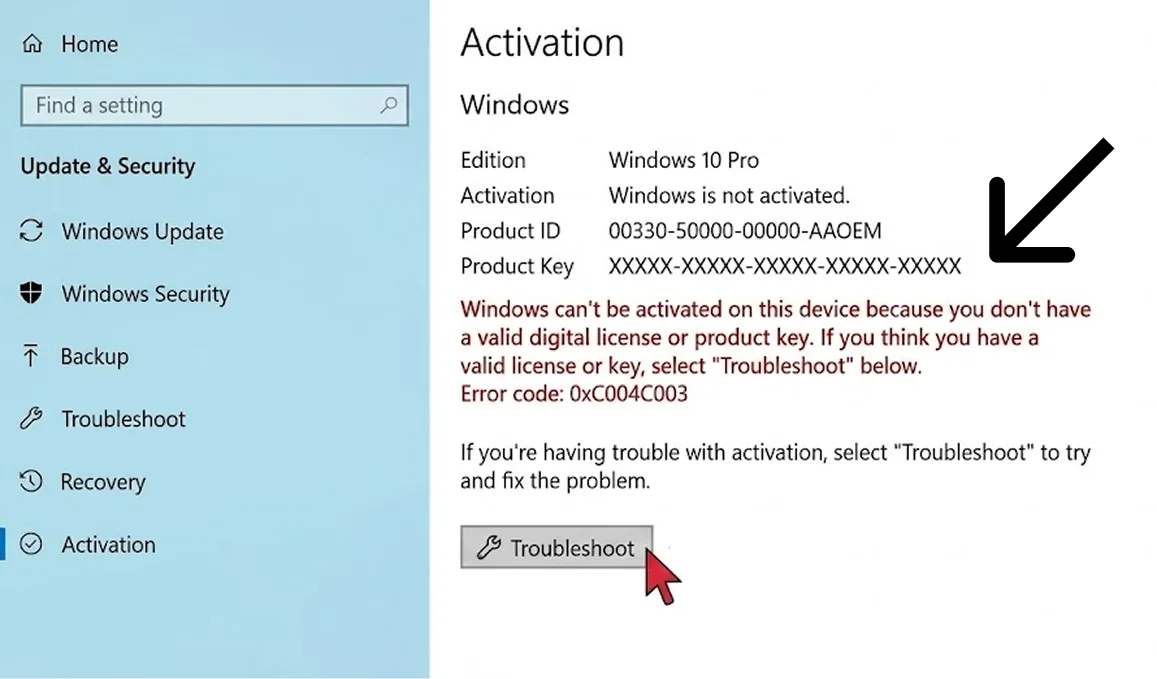
Step 1
First start the Command Prompt by typing CMD into the desktop search bar. Then click on Run as administrator.
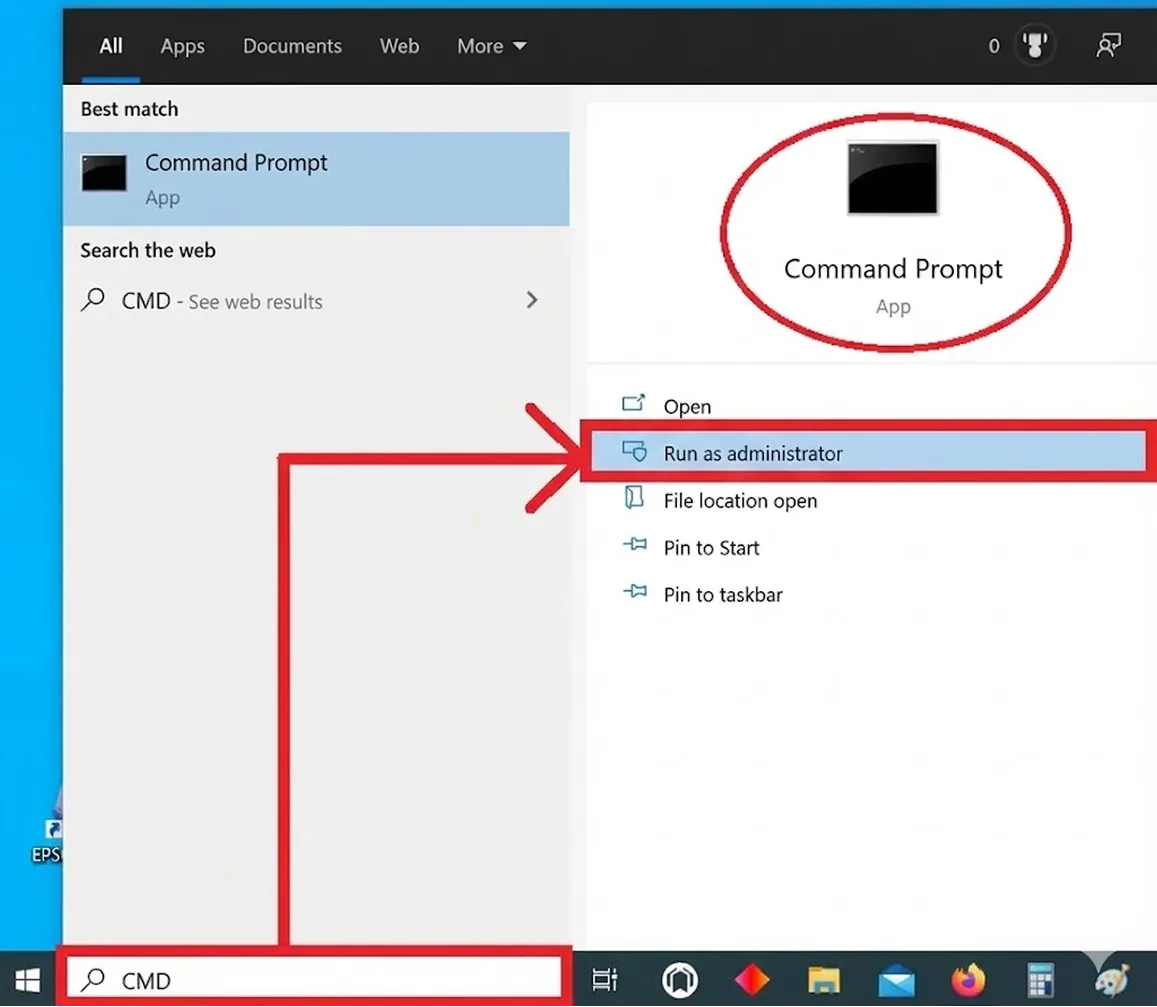
Step 2
Now enter the following command and confirm your entry by pressing the Enter key. Replace “X” with your product key.slmgr -ipk XXXXX-XXXXX-XXXXX-XXXXX-XXXXX
If you entered the command and the product key correctly, the message: “Product key installed successfully.“
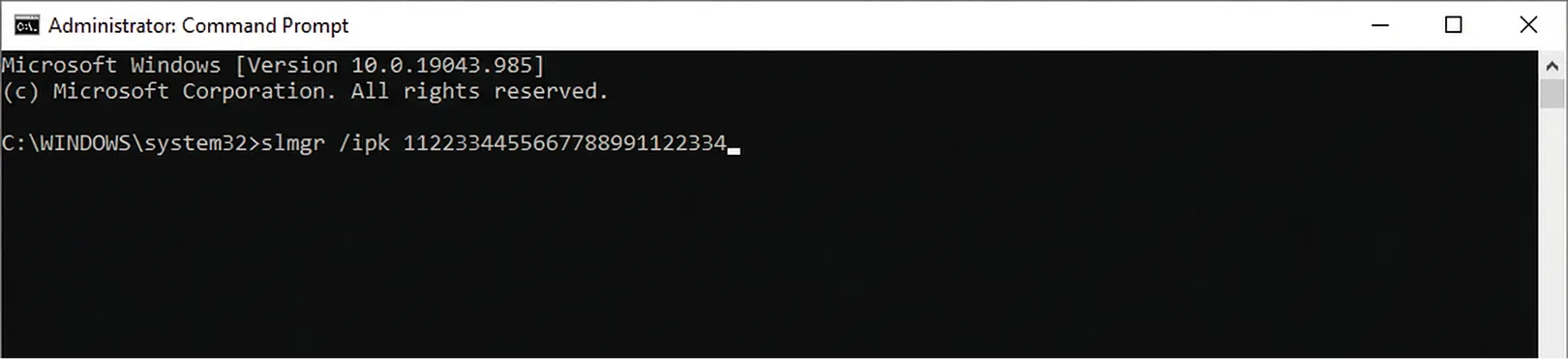
Step 3
Now you can activate Windows. Simply enter the following command and confirm by pressing the Enter key.
slmgr -ato
Done – Ideally, your Windows operating system has been activated.
Step 4
If activation still fails, finally run a troubleshooting check. To do this, proceed as follows:
- Press the key combination Windows + i
- Click on Update & Security
- Click on Activation on the left
- Click on Troubleshoot
Problem not solved?
If the activation problem persists, simply contact us via email: [email protected]
We need an uncropped screenshot from you showing the following content from the activation page.
Settings > Update & Security > Activation
- The last 5 characters of the stored key
- The red error message with the error code
- Date and time