




 Nederlands
 Italiano
 Português
 Română
 Español
 Ελληνικά
 Polski
 Türkçe


If your Windows 11 shows Not active, you can activate it in a few minutes by entering your product key in the Activation settings.
Before you start
- Make sure you have your Windows 11 product key ready (usually found in your purchase email or your customer account).
- Make sure your PC is connected to the internet (Wi-Fi or cable).
- The screenshots may show Windows 11 Pro, but the steps are the same for other editions.
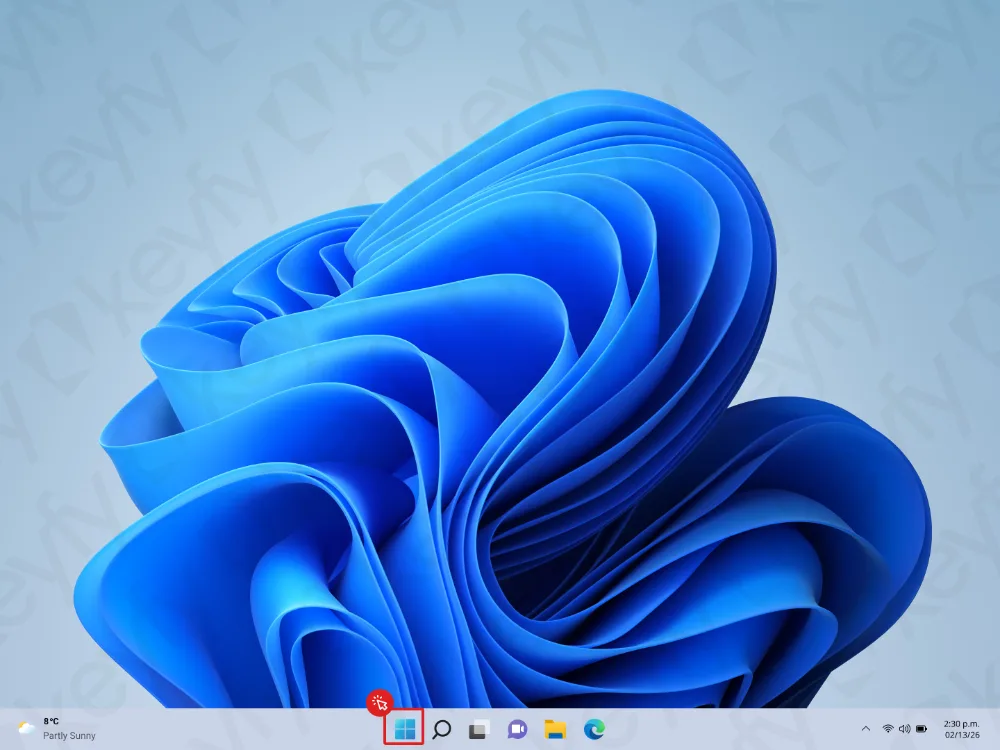
Step 1: Open the Start menu
Click the Start button on your taskbar to open the Start menu.
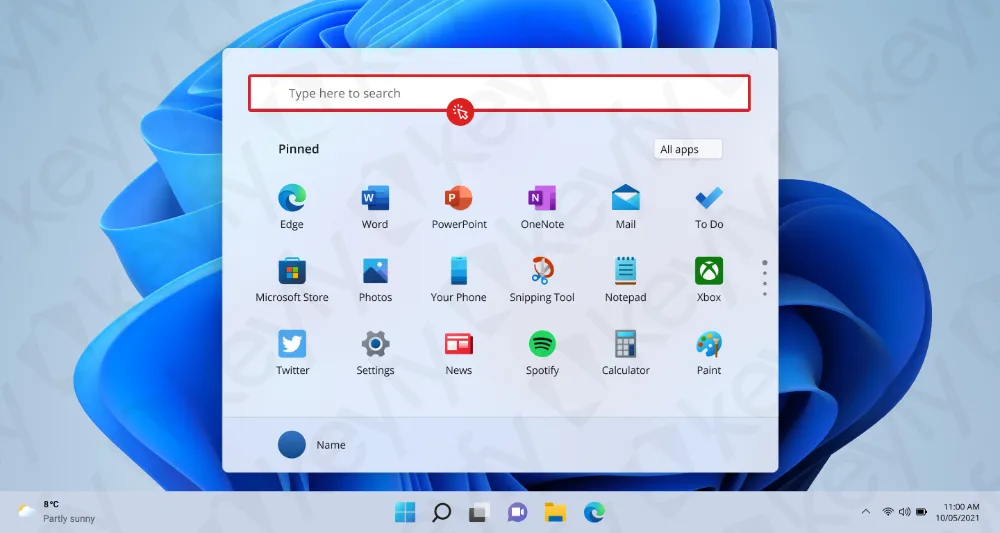
Step 2: Click the Search box
At the top of the Start menu, click the Search box (“Type here to search”).
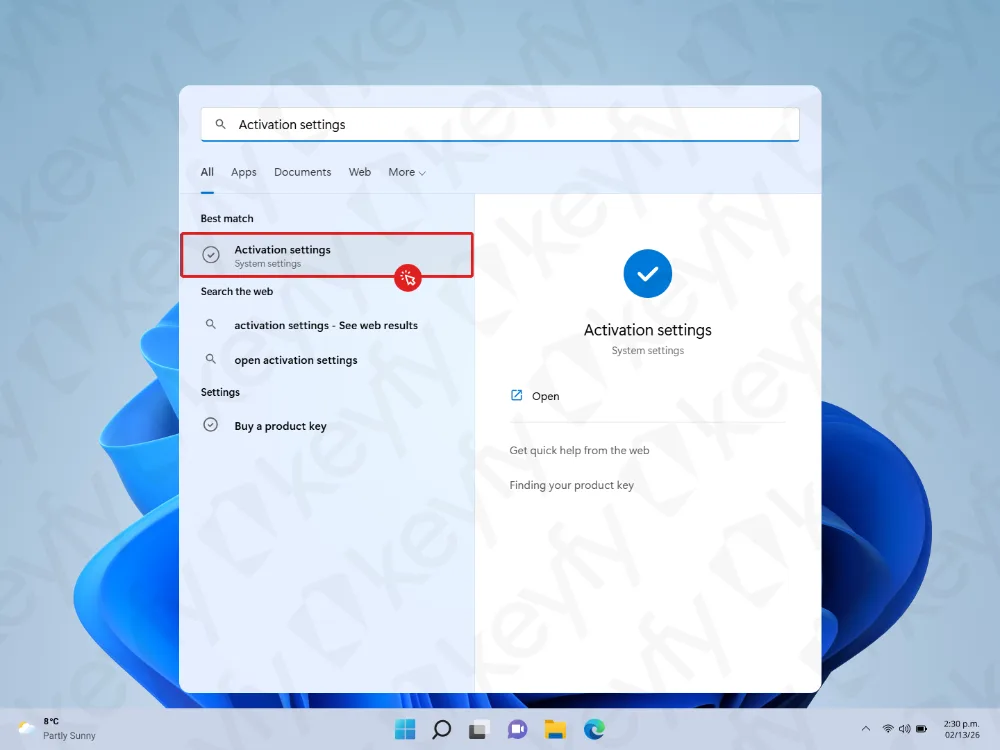
Step 3: Search for “Activation settings” and open it
Type Activation settings and open the result named Activation settings.
Step 4: Click “Change” next to Change product key
In the Activation screen, find Change product key and click Change.
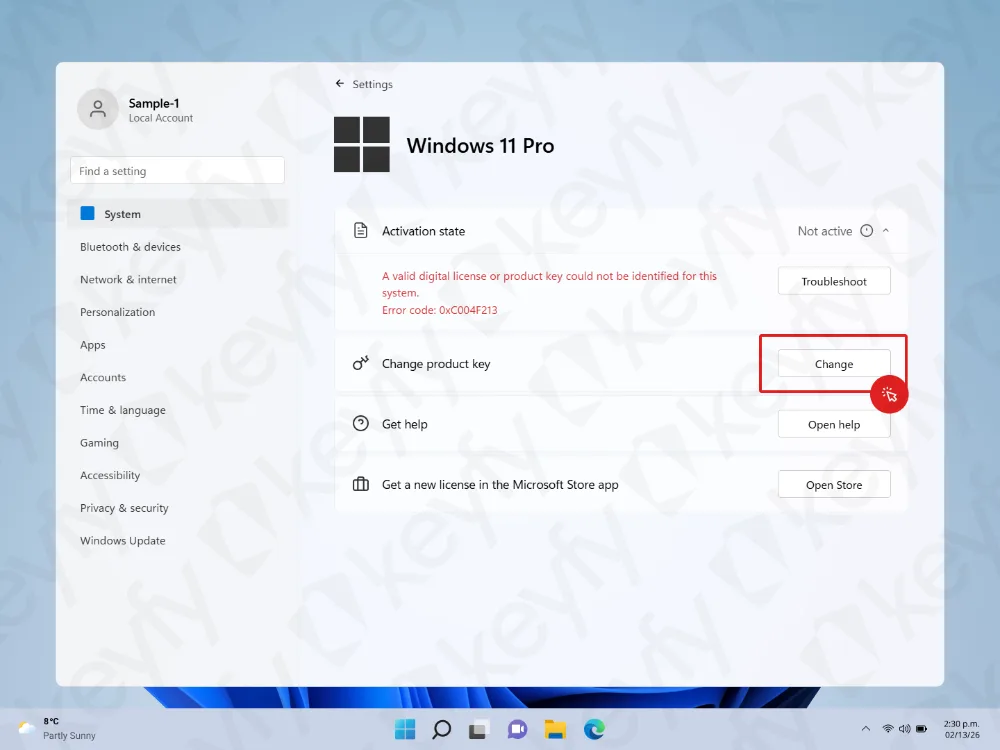
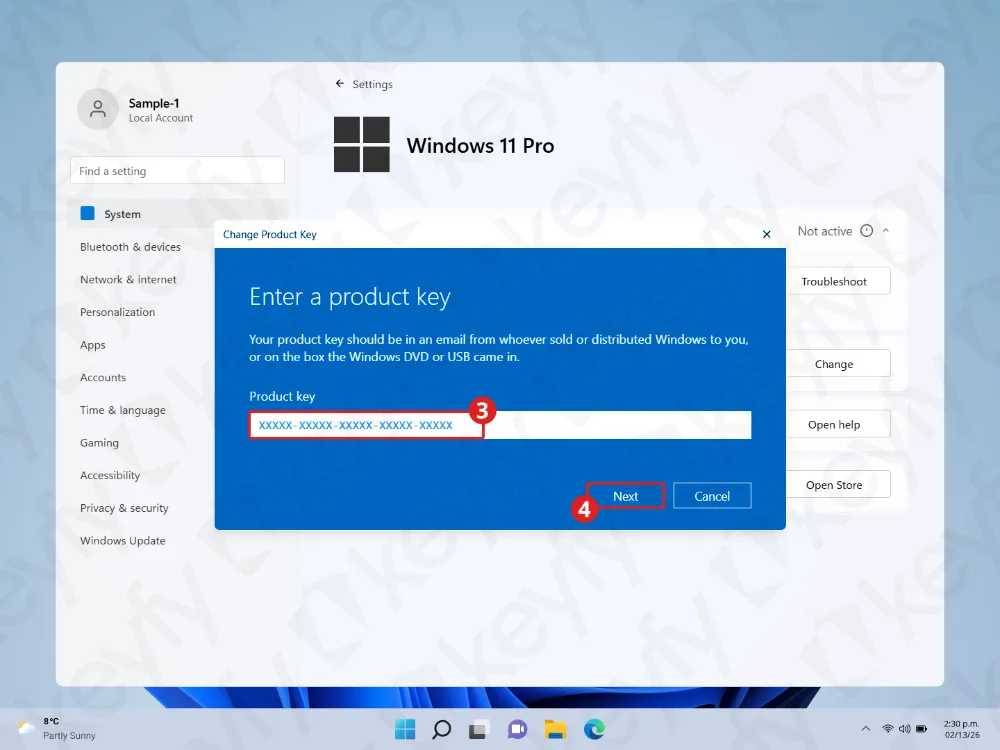
Step 5: Enter your product key and click Next
A window will appear asking you to enter a product key.
- Paste or type your 25-character product key (format: XXXXX-XXXXX-XXXXX-XXXXX-XXXXX).
- Click Next.
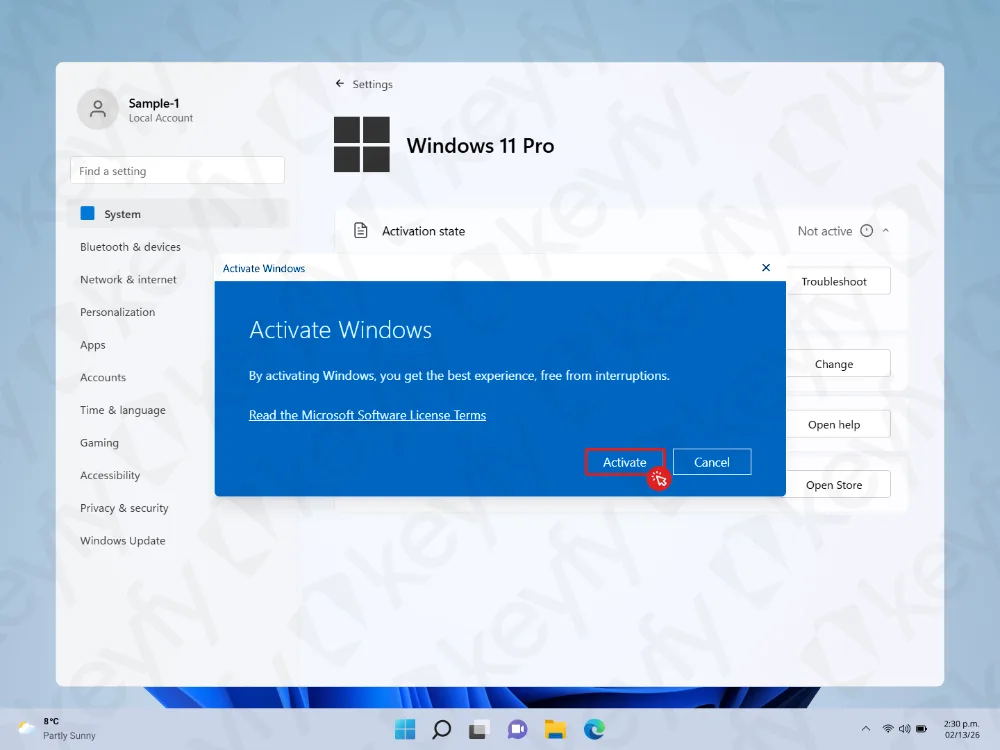
Step 6: Click Activate
Windows will show an Activate Windows dialog.
Click Activate to confirm and start activation.
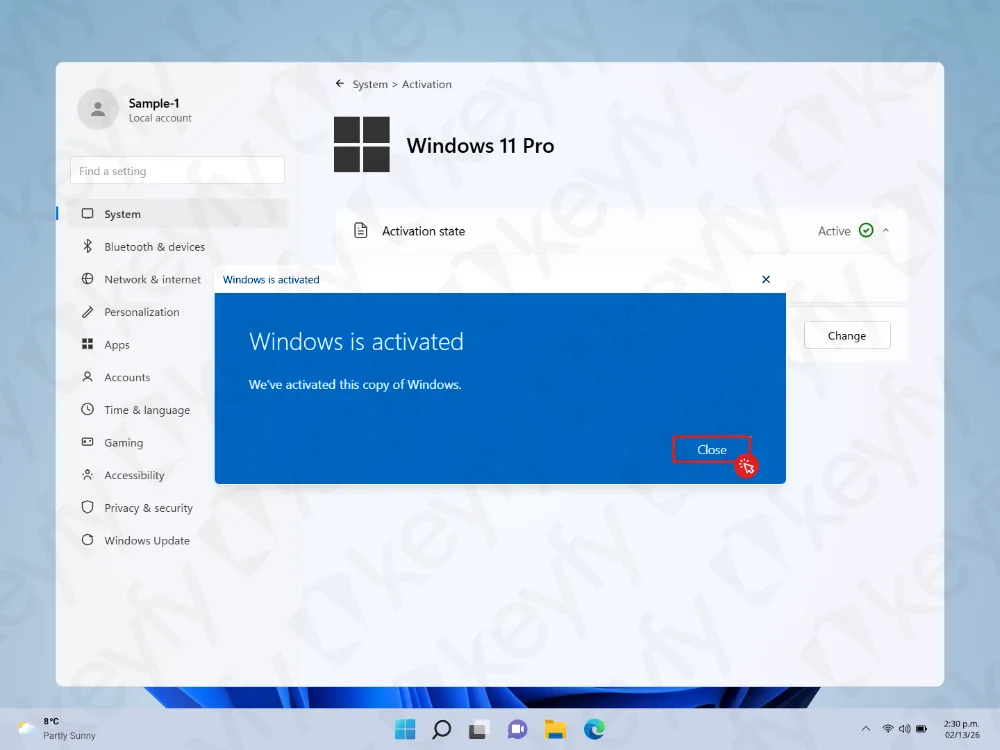
Step 7: Close the confirmation message
If activation is successful, you will see a message saying Windows is activated.
Click Close.
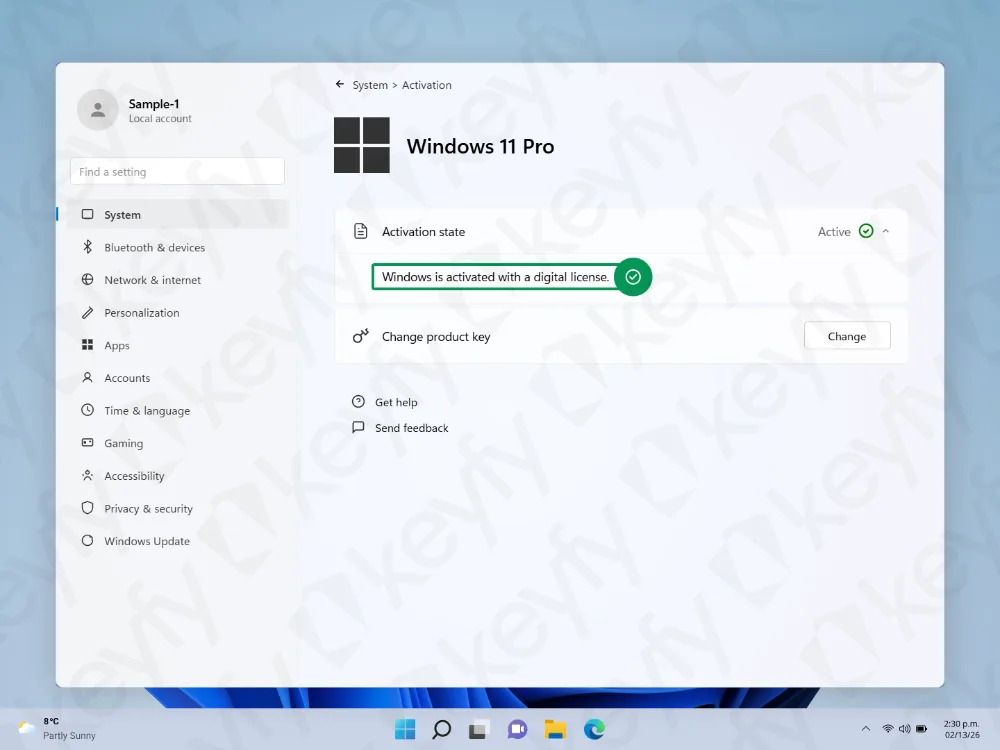
Step 8: Verify activation is Active
Back on the Activation page, confirm you see:
- Activation state: Active (green checkmark)
- Windows is activated with a digital license
Your Windows is now activated and ready to use.
Troubleshooting (if it doesn’t activate)
- Check your internet connection and try again.
- Restart your PC, then repeat Step 4–6.
- Double-check the product key for missing characters or typos.
- Edition mismatch: make sure the key matches your installed edition (for example, Home vs Pro).
- On the Activation page, you can try Troubleshoot if it’s available.
Need additional software?
If you also need Microsoft Office, security software, VPN, or other tools, you can find great deals in our store here: